مونوبولي
تدعم مونوبولي 2–8 مضيفين، ويموّل المشاهدون شراء الأراضي وترقيتها. في أرض مضيف آخر من المستوى 1–3، اختر الفدية أو الاستحواذ. تساوي الفدية أساس الفدية × المستوى؛ ويساوي الاستحواذ سعر الأرض × المستوى × معامل الاستحواذ (الافتراضي 2) مع الحفاظ على مستوى المبنى. راجع «كيف يُحسب المال» أدناه لمعرفة طريقة حساب كل مبلغ. المستوى 4 يرسل الزائر مباشرة إلى السجن دون عجلة عقوبات أو استحواذ. لا يوجد فائز.
هذه اللعبة لا تحدد فائزًا
على عكس ألعاب النقاط الأخرى، لا يوجد ترتيب للفائزين في مونوبولي. عند إنهاء اللعبة، توزع لوحة الإحصائيات ألقابًا وأوسمة مرحة وطريفة مثل "الأكثر بقاءً في السجن"، و"الأكثر تعرضًا للعقوبات"، و"قطب العقارات" — يحصل كل مقعد على وسام، ولا يخسر أحد.
ما يراه الجمهور
الرقعة عبارة عن حلقة من 24 خانة (مستطيل 6×8). وسط الرقعة شفاف تمامًا — وهذا تصميم مقصود ومدروس: إذ لا يمكن لطبقة العرض حجب فيديو البث الحي من الأسفل، لذا تتيح هذه الحلقة المفرغة ظهور وجوه جميع المضيفين بوضوح في المنتصف، بينما تُرسم الرقعة على الإطار الخارجي فقط. يمتلك كل مقعد رمزًا (بيذقًا) بلونه الخاص؛ وعند وجود عدة رموز في الخانة نفسها، تتباعد قليلاً بشكل تلقائي لتجنب التراكب التام.
تحمل كل خانة رسمًا لأشهر معالم تلك المنطقة — فتحمل تايبيه برج 101، وتضم تاينان برج تشيكان، وفي المظاهر العالمية تظهر معالم مثل تمثال الحرية وبرج إيفل. تظهر أسماء الأماكن بشكل خافت فوق كل خانة حتى لا تشوش على الرسوم الفنية؛ وعندما يهبط الرمز على خانة معينة، يضيء اسمها في لوحة داكنة بارزة.
عندما يحين دور أحد المقاعد لرمي النرد، يعرض وسط الرقعة حركة دوران النرد، ثم يتحرك الرمز خطوة بخطوة نحو خانة الهبوط. وبمجرد وصوله، تنبثق بطاقة الهبوط في المنتصف وتتوسع تدريجيًا — موضحة من هبط وأين، مع عرض معْلم تلك الخانة بجواره — وتبقى للحظة قبل الانتقال إلى نافذة التمويل أو شاشة العقوبة، حتى لا يفوت المشاهدين معرفة مكان هبوط الرمز. وبحسب مكان الهبوط، يرى المشاهدون ما يلي:
- خانة فارغة — تنبثق نافذة تمويل تعرض "تم جمع X / Y ماسة". تنتظر النافذة على وضع "يبدأ قريبًا" ريثما يشرح المضيف الموقف؛ وبمجرد بدء التمويل، ينطلق العد التنازلي وتدفع هدايا جمهور ذلك المضيف شريط التقدم للأمام.
- خانة يملكها المضيف (غير مكتملة الترقية) — تظهر نافذة التمويل نفسها، ولكن لجمع الماس اللازم للترقية هذه المرة.
- أرض مضيف آخر من المستوى 1–3: اختر الفدية أو الاستحواذ. الفدية = أساس الفدية × مستوى تلك الأرض (المستوى 1 ×1، المستوى 2 ×2، المستوى 3 ×3)، وهي نفسها في كل منطقة. الاستحواذ = سعر أرض تلك الخانة × المستوى × معامل الاستحواذ (الافتراضي 2)، فكلما غلت المنطقة وارتفع المبنى صعب الاستحواذ. اضغط بدء التمويل للفدية أو بدء الاستحواذ. عند تفعيل "البدء التلقائي"، يبدأ العد التنازلي تلقائيًا بعد اختيار الاستحواذ وانتهاء المهلة المحددة. النجاح ينقل الملكية ويحافظ على المستوى؛ الفشل يؤدي إلى العقوبة المعتادة دون تغيير المالك أو المستوى.
- أرض مضيف آخر من المستوى 4 أو خانة الذهاب إلى السجن: انتقال مباشر إلى السجن مع فتح تمويل الكفالة، دون عجلة عقوبات أو استحواذ.
- خانة الفرصة (الحظ) — يتم تجهيز عجلة الحظ في منتصف الرقعة أولاً بانتظار الضغط على "بدء العجلة". وتحدد الخانة التي تتوقف عندها البطاقة المسحوبة؛ وبعدها فقط تظهر حركة قلب البطاقة لتكشف النتيجة ويُطبق التأثير. يمكن للمشغّل تعديل مجموعة البطاقات: تأتي مجهزة مسبقًا بـ "ترقية مجانية"، و"إلى السجن مباشرة"، و"ارمِ النرد مجددًا"، كما يمكنك إضافة مهام وتحديات نصية مثل "غنِّ أغنية" أو "تحرك للأمام/الخلف N خانات".
التمويل الذي لم يكتمل يحتفظ بماساته
إذا انتهى العد التنازلي لنافذة التمويل قبل الوصول إلى الهدف المطلوب، تفشل الصفقة وتظل الخانة دون مالك — ويمكن لشخص آخر الهبوط عليها وتمويلها لاحقًا. ومع ذلك، فإن كل ماسة أُرسلت خلال تلك النافذة تُحسب بالكامل في لوحة صدارة الهدايا وتقرير البث الشامل؛ ولا يُفقد أي شيء بسبب عدم اكتمال التمويل.
كيف يُحسب المال
على اللوحة خمسة مبالغ تُجمع. ابدأ بمعرفة كيف يتحدد «سعر الأرض»؛ والباقي يُحسب منه أو من رقم آخر:
| المبلغ المطلوب جمعه | طريقة الحساب | مثال بالقيم الافتراضية |
|---|---|---|
| سعر الأرض (شراء خانة فارغة) | سعر الأرض الأساسي × معامل المنطقة التي فيها الخانة | الأساس 500، أربع مناطق 1 / 1.25 / 1.5 / 2 ← 500 / 625 / 750 / 1000 ألماسة لكل خانة |
| تكلفة الترقية | سعر تلك الأرض × معامل الترقية | أرض سعرها 1000: المستوى 1→2 بـ1500، 2→3 بـ2000، 3→4 بـ3000 ألماسة |
| فدية الأرض | أساس الفدية × مستوى تلك الأرض | الأساس 500: المستوى 1 بـ500، المستوى 2 بـ1000، المستوى 3 بـ1500 ألماسة، نفسها في كل منطقة |
| سعر الاستحواذ | سعر تلك الأرض × المستوى × معامل الاستحواذ | سعر الأرض 1000 والمعامل 2: المستوى 1 بـ2000، المستوى 2 بـ4000، المستوى 3 بـ6000 ألماسة |
| كفالة السجن | رقم ثابت تحدده بنفسك | 1000 ألماسة، لا علاقة لها بسعر الأرض أو المستوى |
- «سعر الأرض» هو سعر كل خانة على حدة؛ والخانات الأربع في المنطقة الواحدة بالسعر نفسه. الرقم بين القوسين بجانب كل منطقة في إعداد «معاملات أسعار المناطق» هو سعر الأرض الفعلي في تلك المنطقة.
- الفدية تعتمد على المستوى فقط لا على سعر الأرض، لذا تدفع أرض المستوى 2 الفدية نفسها في المنطقة الرخيصة والغالية.
- الاستحواذ يحافظ على مستوى المبنى، فيرتفع سعره مع سعر الأرض والمستوى معًا: كلما غلت المنطقة وارتفع المبنى صعب انتزاعه.
- الهبوط على معلم المستوى 4 يرسل مباشرة إلى السجن: بلا فدية وبلا استحواذ.
- تُثبَّت كل المبالغ لحظة فتح النافذة. تغيير الإعدادات لاحقًا يؤثر على الأدوار التالية فقط ولا يعدّل نافذة مفتوحة بالفعل.
أثناء التمويل، لا يحتاج المشاهدون إلى النقر على الصورة الرمزية أولاً
طالما أن العد التنازلي للتمويل يعمل، فإن أي هدية لا يُحدد فيها مقعد آخر تُحسب تلقائيًا لصالح نافذة التمويل الحالية — سواء نقر المشاهد على الصورة الرمزية للمضيف أم لا. أما الهدايا الموجهة صراحة لمقعد آخر، فتبقى محسوبة لذلك المضيف ولا تبتلعها نافذة التمويل أبدًا.
21 مظهرًا للرقعة، وأسماء الأماكن تتبع المظهر
تأتي الرقعة بـ21 مجموعة فنية متكاملة — حيث تشترك الخانات والإطار والمباني والنرد في الأسلوب الفني نفسه. يحدد المظهر ما تصوره الرقعة: فإلى جانب تايوان ومدن العالم واليابان وكوريا، هناك رقع لتايلاند وفيتنام وإندونيسيا والصين والعالم العربي وروسيا وطريق الحرير في آسيا الوسطى وإسبانيا وفرنسا وبريطانيا وإيطاليا والولايات المتحدة والهند ومصر. عندما يوفر المظهر مجموعتين من الأسماء للاختيار بينهما (مثل مدن أو معالم تايوان)، اختر إحداهما من لوحة التحكم؛ وتظهر الأسماء باللغة الحالية للوحة التحكم.
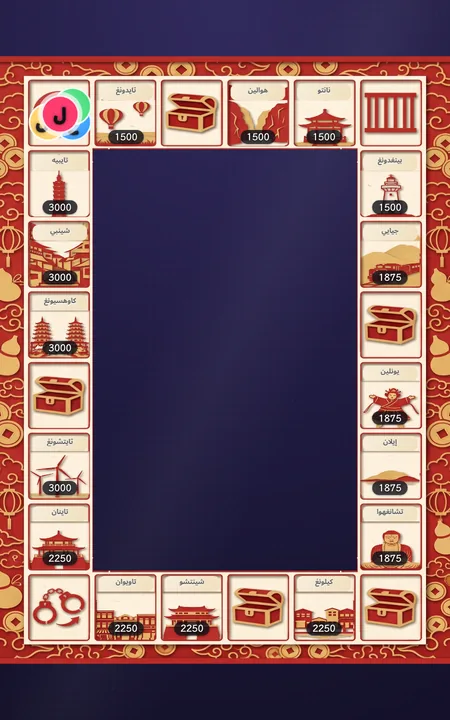
تايوان・قصاصات ورق
مدن تايوان / معالم تايوان
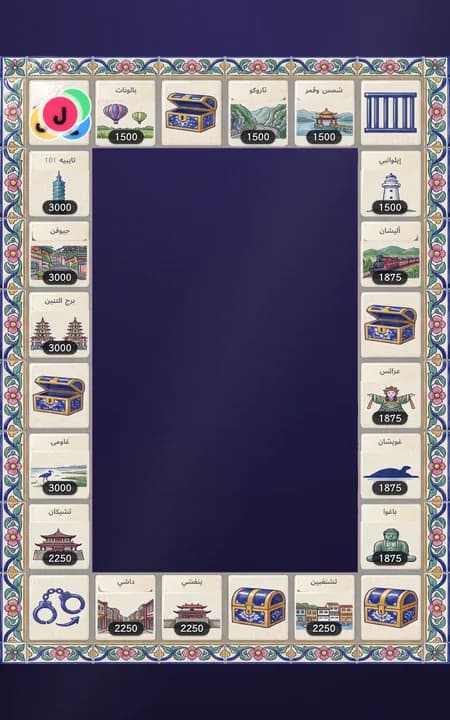
تايوان・بلاط ماجوليكا
مدن تايوان / معالم تايوان (المعروض: معالم)
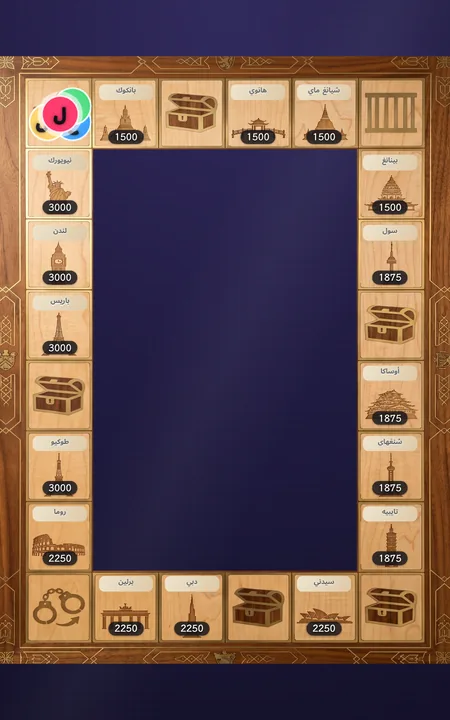
العالم・تطعيم الخشب
مدن العالم
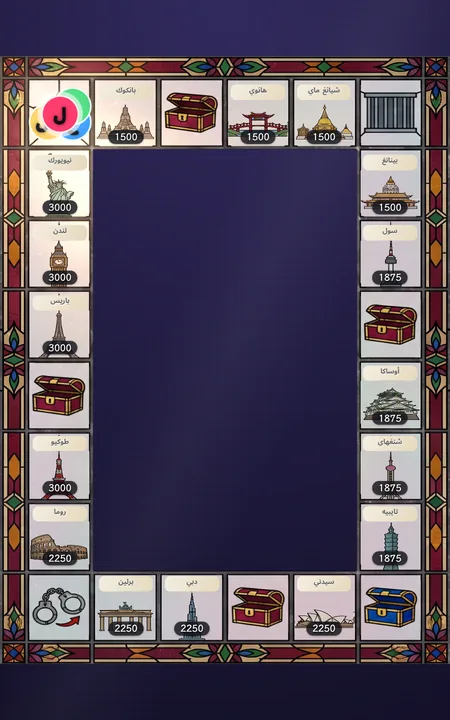
العالم・زجاج ملوّن
مدن العالم
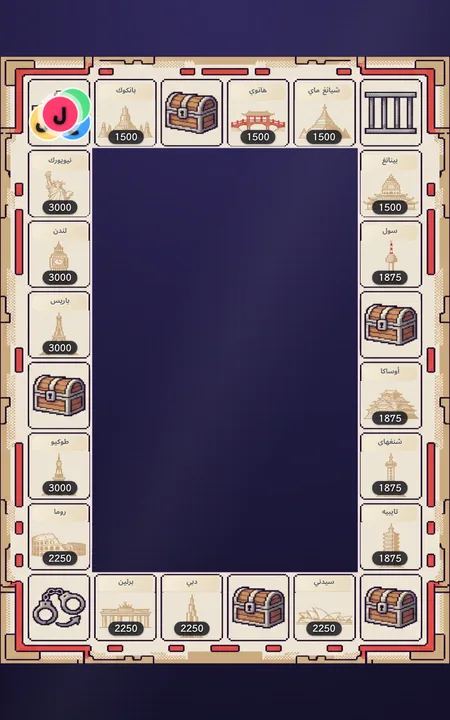
العالم・بكسل
مدن العالم
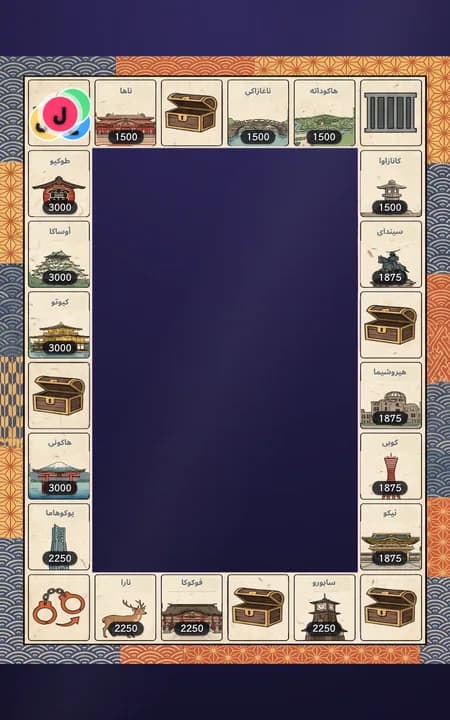
اليابان・أوكييو-إي
مدن اليابان
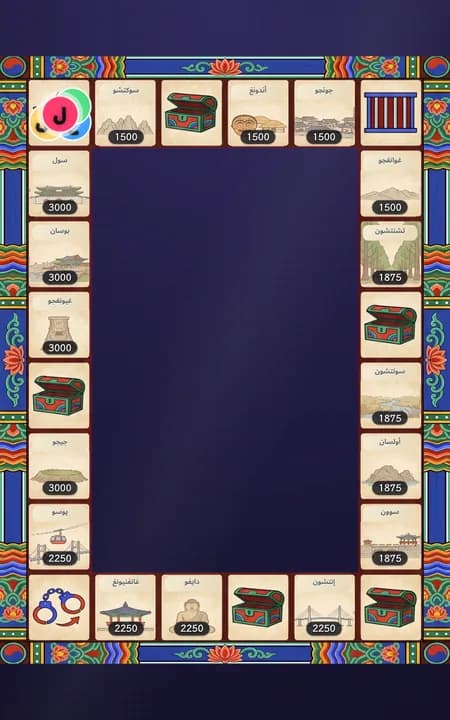
كوريا・دانتشونغ
مدن كوريا
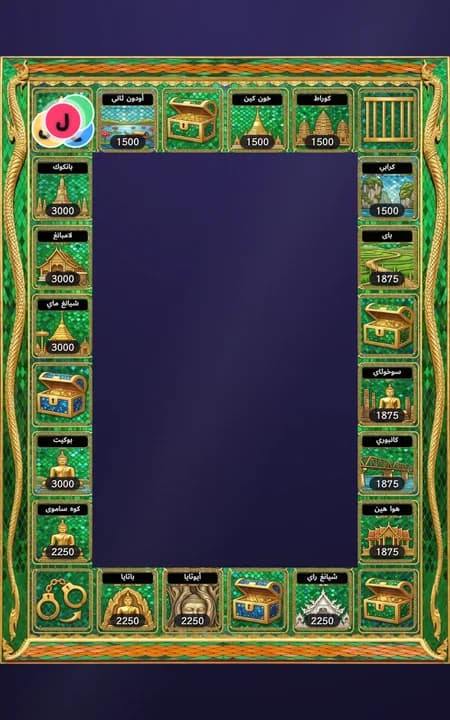
تايلاند・معبد بوذا الزمردي
مدن تايلاند
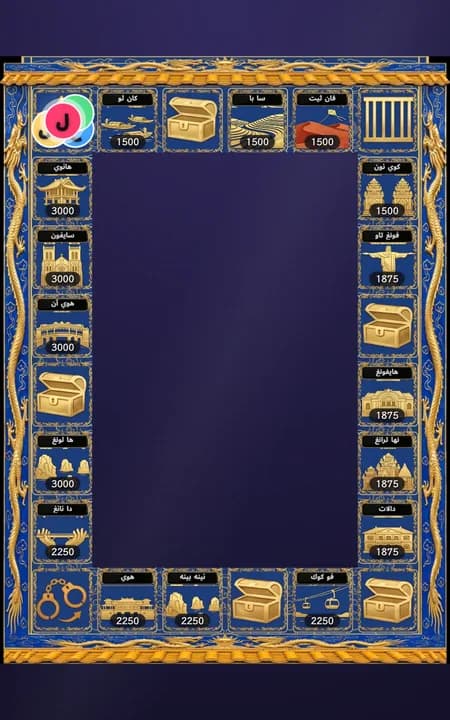
فيتنام・مدينة هوي الإمبراطورية
مدن فيتنام
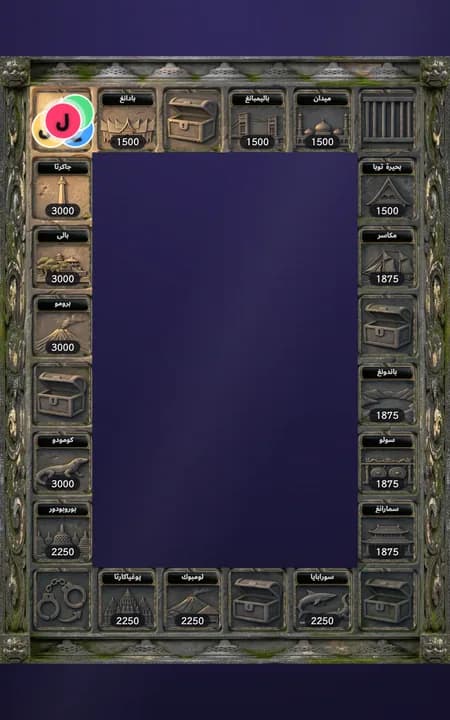
إندونيسيا・بوروبودور
مدن إندونيسيا
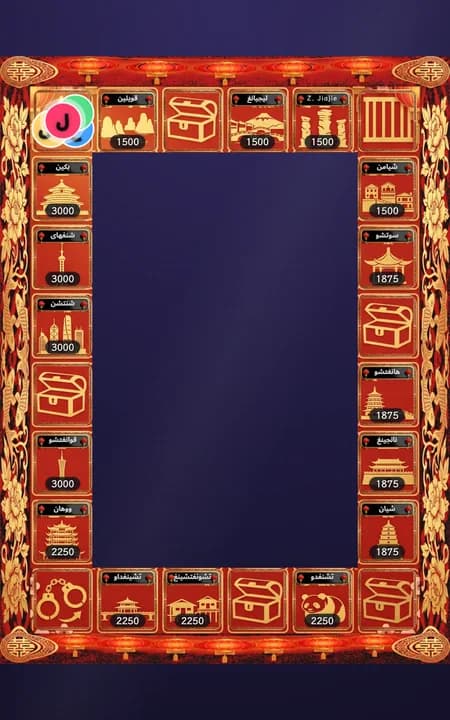
الصين・قصاصات ورق رأس السنة
مدن الصين
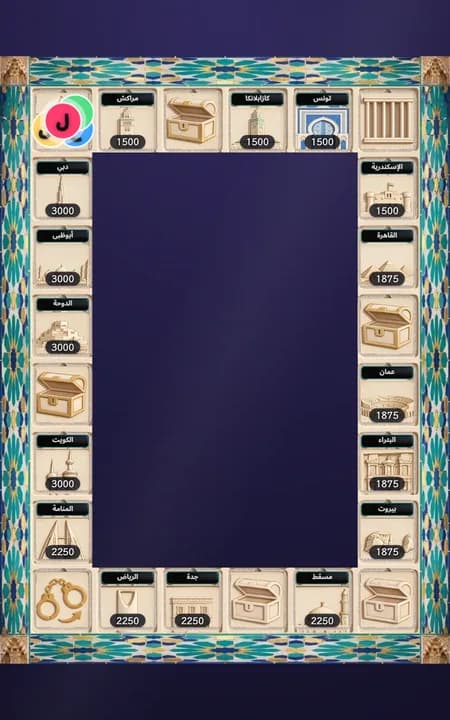
الجزيرة العربية・قصر الحمراء
مدن الجزيرة العربية
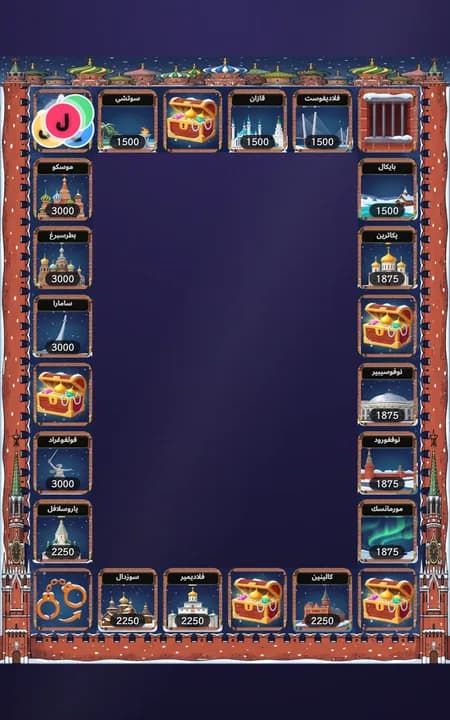
روسيا・كاتدرائية القديس باسيل
مدن روسيا
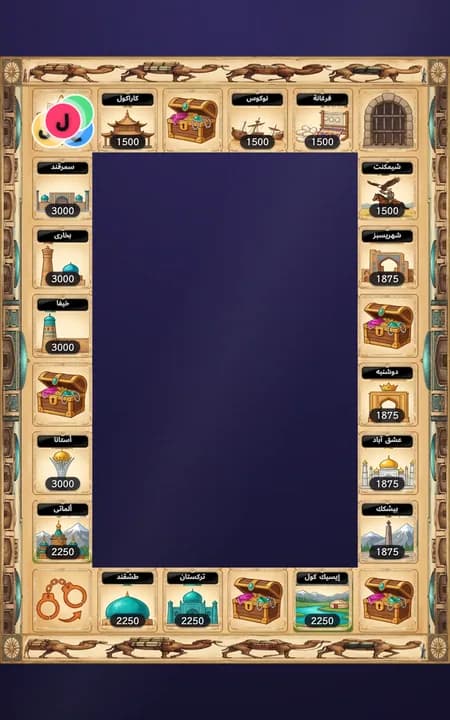
طريق الحرير・قافلة الجمال
مدن طريق الحرير
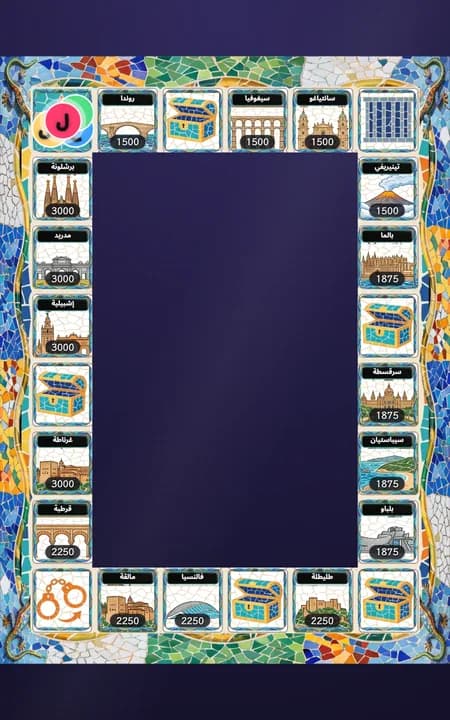
إسبانيا・فسيفساء غاودي
مدن إسبانيا
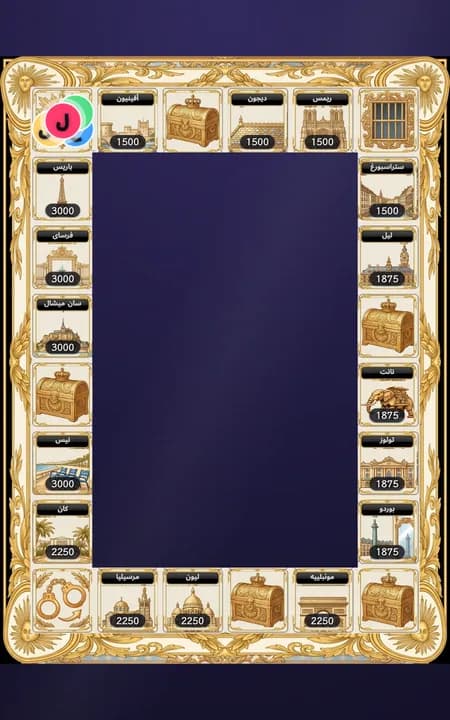
فرنسا・قصر فرساي
مدن فرنسا
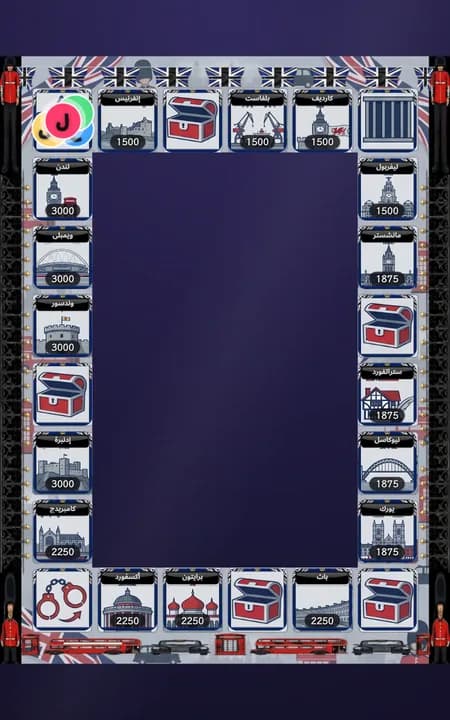
بريطانيا・لندن
مدن بريطانيا
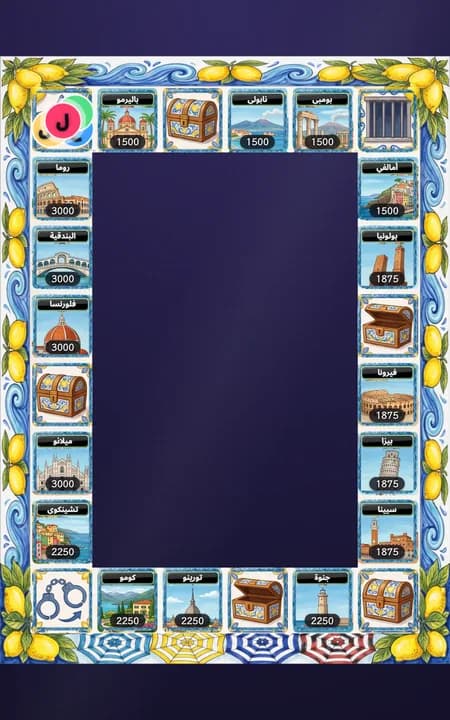
إيطاليا・ساحل أمالفي
مدن إيطاليا
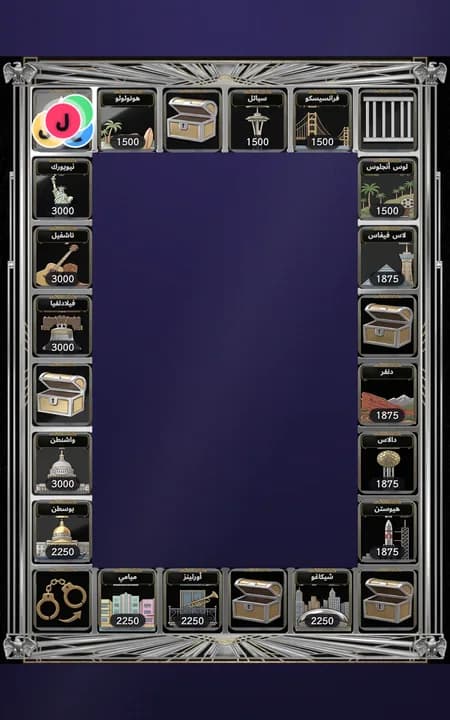
أمريكا・آر ديكو ناطحات السحاب
مدن أمريكا
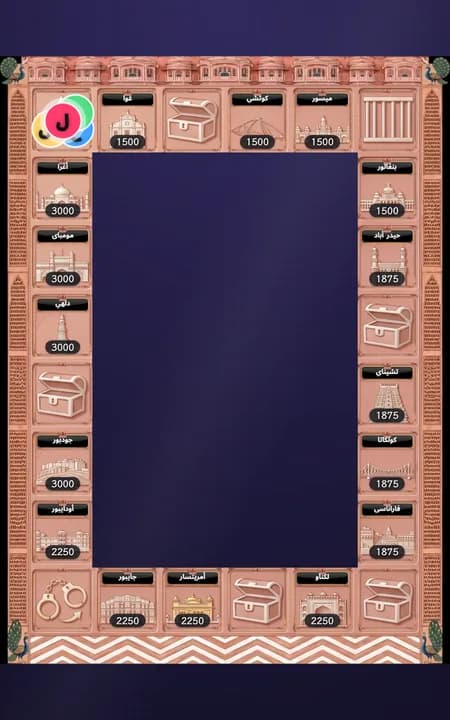
الهند・المدينة الوردية في راجستان
مدن الهند
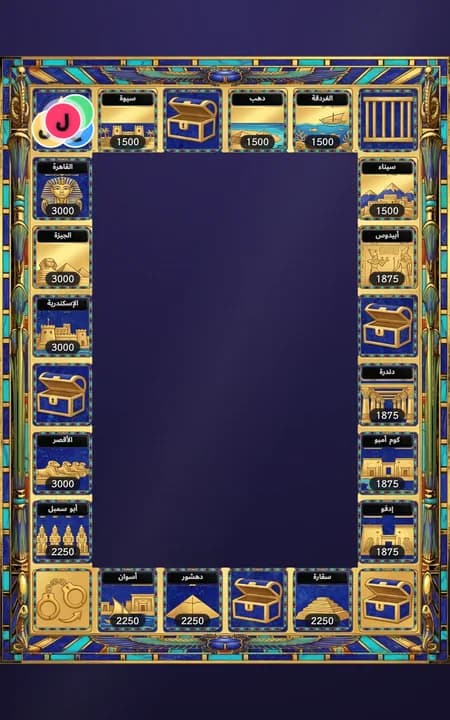
مصر・ذهب الفراعنة واللازورد
مدن مصر
التبديل في منتصف اللعبة لا يؤثر على مسارها
يتغير المظهر الفني والأسماء فقط — بينما تبقى قواعد الخانات، والأسعار، ومواقع الرموز، والأراضي المملوكة كما هي تمامًا، لذا يمكنك تغيير المظهر لإضفاء جو جديد أثناء البث بأمان تام.
الإعداد قبل بدء البث
اختر 'مونوبولي'
انتقل إلى صفحة "ألعاب النقاط" واختر "مونوبولي" في الخطوة 1.
حدد المقاعد المشاركة
أول 2–8 أشخاص في قائمة مقدمي اليوم يشاركون تلقائيًا. أضف أو احذف من إدارة القائمة ورتّبهم بالأسهم؛ يلزم شخصان على الأقل.
اختر مظهر الرقعة وأسماء الأماكن
اختر واحدًا من 21 تصميمًا للوحة. تتغير أسماء الأماكن تلقائيًا مع التصميم؛ لا توجد قائمة مستقلة لأسماء الأماكن.
اضبط المعاملات الأساسية الثلاثة
سعر الأرض الأساسي (ألماس) مضروبًا في معامل المنطقة يحدد سعر الخانة. مدة التمويل (ثوانٍ) للشراء والترقية والفدية. مدة الاستحواذ (ثوانٍ) مستقلة لأرض الخصم من المستوى 1–3. كفالة السجن (ألماس) تُستخدم فقط لكفالة الخروج من السجن ولا تعتمد على سعر الأرض. أما الفدية عند الهبوط على أرض مضيف آخر فتُحدَّد عبر أساس الفدية (الأساس × مستوى تلك الأرض)، وتعرض صفحة الإعدادات مباشرة ما يدفعه المستوى 1 و2 و3. معامل سعر الاستحواذ: تكلفة الاستحواذ هي سعر الأرض × المستوى × هذا المعامل. لكل حقل علامة "؟" فيها الصيغة ومثال. التغيير يؤثر على زيارات الأراضي اللاحقة؛ هدف التمويل الحالي لا يتغير.
(اختياري) افتح 'الإعدادات المتقدمة'
للأسعار وإيقاع الجولة ومحتوى اللعبة مجموعات إعدادات منفصلة. الإعدادات المتقدمة تغيّر فقط مدة حركة القطع ورسوم العجلة.
احفظ في الشاشة الرئيسية
انقر على "حفظ في الرئيسية" أسفل الصفحة — سيتم حفظ الإعدادات وتظهر تلقائيًا في الصفحة الرئيسية، لتكون جاهزة للتشغيل بمجرد بدء البث. زر "حفظ في الرئيسية" يثبّت هذه البطاقة في الصفحة الرئيسية فقط ولا يغيّر شاشة المشاهدين؛ ولكي يراها المشاهدون، عد إلى الصفحة الرئيسية واضغط على هذه البطاقة. لعبة مونوبولي استثناء: تحتفظ بلوحتها، ولا يتم منعك من التبديل بينها وبين الألعاب الأخرى في الصفحة الرئيسية. المضيف الذي تضيفه إلى القائمة من هنا يُضاف إلى قائمة المضيفين المشتركة كلها، وليس لهذه البطاقة وحدها.
إدارة اللعبة أثناء البث
في الصفحة الرئيسية، ابحث عن بطاقة "مونوبولي" التي حفظتها:
اضغط «بدء» ثم ارمِ النرد للمقعد الحالي. في أرض الخصم من المستوى 1–3، اختر الفدية أو الاستحواذ. للاستحواذ مدة مستقلة وسعر يساوي سعر الأرض × المستوى × المعامل المحدد (الافتراضي 2)؛ النجاح ينقل الملكية ويحافظ على المستوى. تنتظر الفدية بدء التمويل، بينما ينتظر الاستحواذ بدء الاستحواذ؛ عند تفعيل "البدء التلقائي"، تبدأ الفدية أو الاستحواذ تلقائيًا بعد اختيارهما، بعد انتهاء المهلة المحددة، لكن النظام لا يختار نيابة عنك. الهدايا قبل البدء تدخل ترتيب الهدايا وليس هدف التمويل. الفشل يؤدي إلى العقوبة المعتادة. المستوى 4 يرسل مباشرة إلى السجن ويفتح الكفالة. تظهر القواعد مسبقًا في الإعدادات وأدوات التحكم.
قد تفتح خانة الفرصة أو فشل الفدية/الاستحواذ في المستوى 1–3 العجلة. ابدأ بعد الشرح، أو فعّل "البدء التلقائي" لتدور العجلة تلقائيًا بعد انتهاء المهلة المحددة. يُطبق أثر الفرصة عند توقفها؛ تبقى نتيجة العقوبة حتى الضغط على إنهاء. المستوى 4 لا يفتح عجلة العقوبات.
بمجرد حسم الخانة الحالية، اضغط على "اللاعب التالي" لتمرير الدور. إذا غادر أحد المضيفين فجأة، يتيح لك النظام خيار "تخطي هذا المقعد" بمجرد حلول دوره وقبل رمي النرد — نقرتان للتأكيد ويمر الدور إلى التالي. هذه هي النقطة الوحيدة التي يمكن فيها تخطي المقعد؛ فبمجرد رمي النرد، يجب إكمال الجولة حتى نهايتها. وإذا مر ذلك المقعد بخانة البداية (GO) أثناء تحركه، فإنه يحصل على رمية نرد إضافية مجانية — يظهر في اللوحة زر «ارمِ مرة أخرى»؛ اضغط عليه إن أردت استخدامها، والنقر على "اللاعب التالي" دون استخدامها يؤدي إلى التنازل عنها. اضغط على "إيقاف مؤقت" أثناء اللعبة إذا احتجت إلى استراحة — حيث يتجمد العد التنازلي تلقائيًا — واضغط على "استئناف" للمتابعة؛ ولن يؤدي التوقف الطويل إلى إغلاق اللعبة تلقائيًا عند عودتك.
الخروج من السجن
يتم تخطي دور المقعد الموجود في السجن تلقائيًا. وإذا لم يدفع أحد الكفالة، يُطلق سراحه تلقائيًا بعد قضاء دورة كاملة (رمي جميع المقاعد الأخرى للنرد مرة واحدة؛ وإذا ضغط المقدّم على "اللاعب التالي" لتخطي أحد المضيفين فذلك يُحسب له دورًا أيضًا). الكفالة رقم مستقل عن سعر الأرض الأساسي — ولا يؤثر تعديل أحدهما على الآخر إطلاقًا.
وعندما ترغب في إنهاء اللعبة، اضغط على «إنهاء هذه الجولة» — توجد خطوة تأكيد (تفشل أي نافذة تمويل لا تزال مفتوحة، رغم أن ماساتها تظل مسجلة في لوحة صدارة الهدايا). يضع التلخيص لوحة إحصائيات مرحة على طبقة العرض: من أمضى أطول وقت في السجن، ومن تعرض لأكبر عدد من العقوبات، وأغلى قطعة أرض على الرقعة، وأكبر داعم مالي في البث، مع إرفاق اسم كل منهم؛ ويحصل كل مقعد آخر على وسام بديل مثل "رحّالة" أو "رحلة ميسرة". وتصل الإحصائيات نفسها إلى تقرير البث. بعد التلخيص، يقوم زر «إعادة تعيين» بتصفية الرقعة لبدء لعبة جديدة تمامًا.
أسئلة شائعة
س: هل يوجد فائز أو ترتيب في لعبة مونوبولي؟
ج: لا. تتفادى اللعبة عن قصد تحديد فائز بالنقاط — ويعرض التلخيص في النهاية لوحة إحصائيات طريفة يحصل فيها كل مقعد على وسام (الأكثر بقاءً في السجن / الأكثر تعرضًا للعقوبات / قطب العقارات / قوة المعجبين / رحّالة / رحلة ميسرة)، دون أي ترتيب تنافسي.
س: ماذا يحدث إذا لم يكتمل مبلغ نافذة التمويل؟
الإجابة: فشل الشراء يترك الأرض دون مالك؛ فشل الترقية يحافظ على المستوى. فشل الاستحواذ يحافظ على المالك والمستوى، وفشل الفدية أو الاستحواذ يؤدي إلى العقوبة. تظل الهدايا ضمن الترتيب وتقرير الجلسة.
س: هل يؤدي الهبوط على خانة منافس إلى تفعيل العقوبة دائمًا؟
الإجابة: ليس دائمًا. في المستوى 1–3، تحقيق هدف الفدية أو الاستحواذ يتجنب العقوبة. الفدية = أساس الفدية × المستوى؛ والاستحواذ بسعر الأرض × المستوى × المعامل المحدد (الافتراضي 2) ينقل الملكية ويحافظ على المستوى. الفشل يؤدي إلى العقوبة. المستوى 4 يرسل مباشرة إلى السجن مع إمكانية الكفالة، دون استحواذ أو عجلة عقوبات.
س: هل كفالة السجن هي القيمة نفسها لسعر الأرض الأساسي؟
ج: لا، فهما إعدادان منفصلان. وحتى لو لم يدفع أحد الكفالة، فإن قضاء دورة كاملة (رمي جميع المقاعد الأخرى للنرد مرة واحدة) يُحرر المقعد تلقائيًا.
س: ماذا يمكن أن تقدم بطاقة الفرصة (الحظ)؟
ج: كل ما يضعه المشغّل في مجموعة البطاقات. تأتي اللعبة مجهزة بثلاث بطاقات: ترقية مجانية لعقار تملكه (أقل ظهورًا)، أو الذهاب مباشرة إلى السجن، أو رمية إضافية. وفي لوحة مونوبولي بصفحة النقاط، يمكنك تعديل نص كل بطاقة ونسبة ظهورها، أو حذف بطاقات وإضافة أخرى جديدة — البطاقات النصية فقط (مثل "غنِّ أغنية") مخصصة ليؤديها المضيف مباشرة، أما "تحرك للأمام/الخلف N خانات" فتحرك الرمز فعليًا على الرقعة. وإذا سحبت ترقية مجانية ولا تملك أي عقار قابل للتطوير، فلن يكون لها أي تأثير ببساطة.
س: هل يمكنني تغيير مظهر الرقعة أو أسماء الأماكن؟
ج: نعم — المجموعات الفنية الـ21 متاحة بنقرة واحدة في لوحة مونوبولي بصفحة ألعاب النقاط، وتتحول المعالم الموجودة على الخانات إلى ما يصوره ذلك المظهر. تتبع أسماء الأماكن المظهر تلقائيًا؛ ويمكن لمظاهر تايوان الاختيار بين المدن أو المعالم. والتبديل أثناء البث لا يعطل مجريات اللعبة.
س: هل يحتاج المضيفون إلى ضبط إيقاع اللعبة باستمرار؟
ج: ليس في العادة — تغطي المعاملات الأساسية الثلاثة تسعًا من كل عشر جلسات بث. افتح "الإعدادات المتقدمة" فقط لتسريع أو إبطاء الإيقاع في البثوث الطويلة؛ والتغييرات هناك تسري فقط على الأدوار التالية لتلك اللحظة.