Live scoring
Game scores and PK visuals update from live events. TStar’s backend handles scoring; the console configures it and the overlay displays it.
TStar is an independent third-party tool for TikTok LIVE teams. Operators manage games in the desktop console, add scoring and interaction overlays to TikTok LIVE Studio or OBS, and review session data after the stream.
Create an account and submit a trial application. Approved applications receive a three-day trial license.
Connect a live room, choose a game or widget in the console, then add its overlay URL as a browser source in LIVE Studio or OBS.
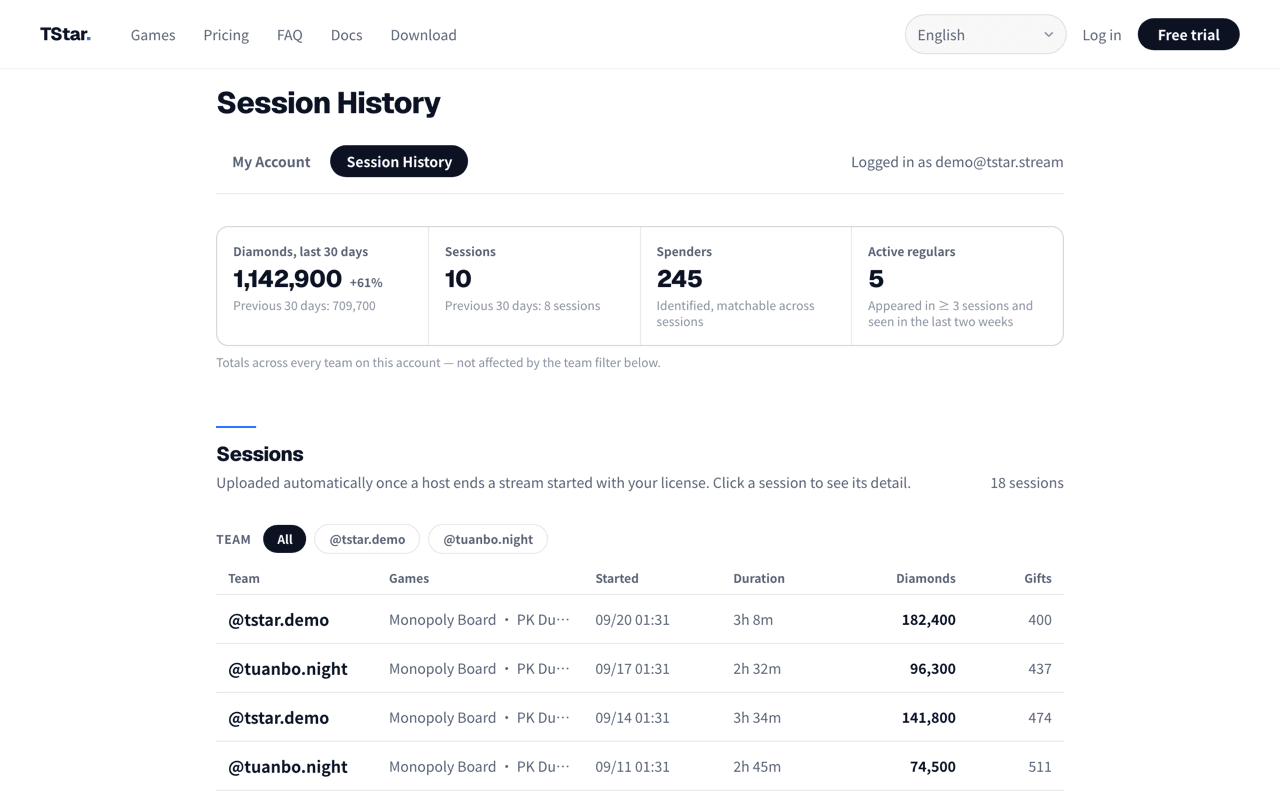
See gift and scoring data during the stream. Upload a finished session to review cross-session trends in the guild dashboard.
Game scores and PK visuals update from live events. TStar’s backend handles scoring; the console configures it and the overlay displays it.
Add leaderboards, polls, and raffle widgets to the live scene through a browser source in LIVE Studio or OBS.
Review gift data for a session, then archive sessions in the web dashboard to explore host trends, supporter retention, and session performance.
Teams that regularly run multi-host TikTok LIVE sessions and need an operator to manage scoring or PK games.
Teams that want to add leaderboards, polls, or raffle widgets to their live scenes.
Guilds that need to organize session, host, and gift data after streams.
No. TStar is developed and maintained by Novus Technology as an independent third-party tool. It is not affiliated with TikTok.
Yes. TStar overlays are web pages that can be added as browser sources in TikTok LIVE Studio or OBS.
The console provides live session gift and scoring data. After uploading a session, the web guild dashboard can show cross-session KPIs, host trends, and supporter retention.
Create an account to apply for a three-day trial. Use your own workflow to configure a game, an overlay, and session reporting.
Apply for a 3-day trialTStar is an independent tool developed by Novus Technology and is not an official TikTok product.