TStar Documentation
Choose what you want to do, then follow the screenshots to set it up.
Getting started
- Quick startNew to TStar? One page covering the whole flow: install the console, activate your license key, connect to your TikTok live room, paste the overlay into TikTok LIVE Studio, and start your first round.
- Install TStarInstall the TStar console you downloaded, handle the Windows SmartScreen prompt if it appears, and launch the app.
- License purchase & activationHow to purchase a TStar license key, and how to activate it when you open the console.
- Account & License ManagementWhat you can do in "My account" on the website: check your licenses and expiry dates, renew, unbind a device yourself when switching computers, buy additional licenses, request a trial, and how to log in.
- Connect your TikTok accountHow to connect your TikTok live account in the TStar console: the three connection steps, switching accounts, no-password security model, backend troubleshooting, and disconnect recovery.
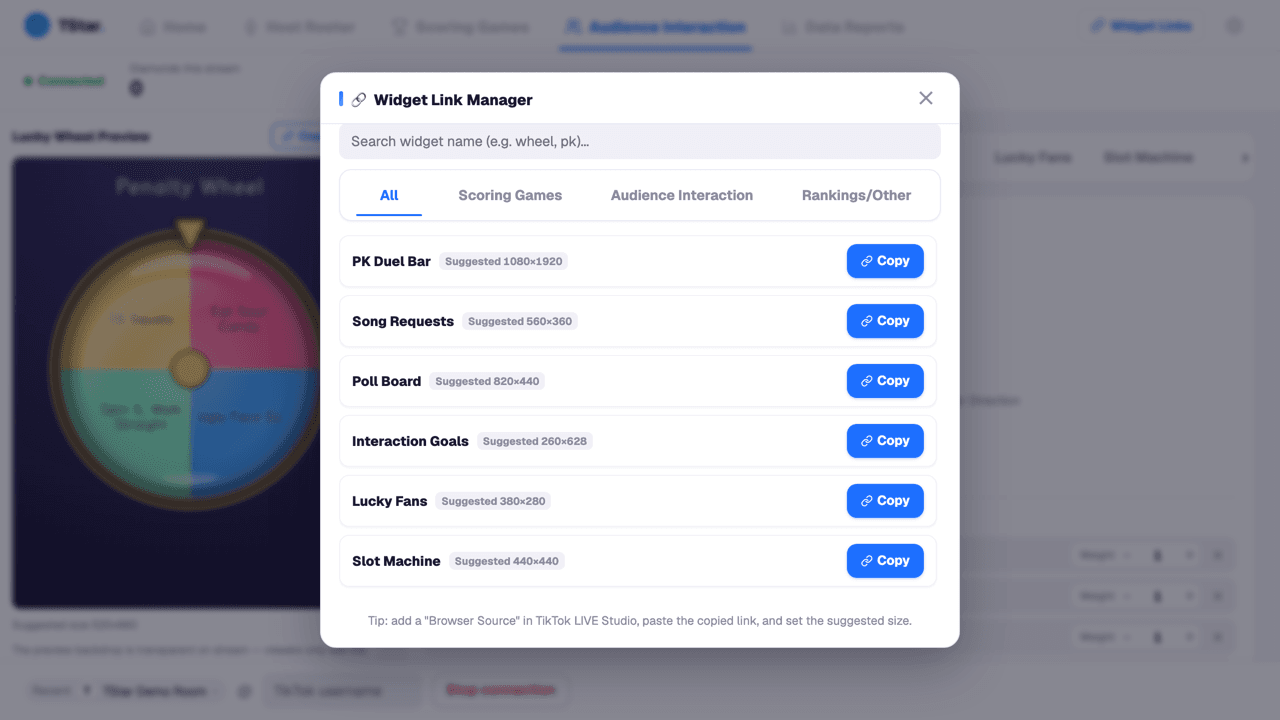
- TikTok LIVE Studio setupAdd a TStar live overlay to TikTok LIVE Studio: copy a game link, set the browser source size, and check its transparent background.
- Set Up Your First TikTok PKConfigure TStar PK mode, bind team gifts, set the countdown, and run your first round during TikTok LIVE.
Live setup
- Console TourWhat each tab in the TStar console does: the Home page's pinned cards and live mode, the host roster, live stats and the gift feed, widget link management, and the settings page with auto-update.
- TikTok LIVE Studio FAQHow to troubleshoot overlays that look wrong or won't connect in TikTok LIVE Studio.
- Overlay sizing & layout guideRecommended sizes for all 27 overlay widgets, to help you plan your TikTok LIVE Studio layout.
- Performance & Hardware RecommendationsHow much hardware do you need to run TikTok LIVE Studio, the overlay, and the console at the same time? Recommended specs for three tiers, plus what to do if your computer struggles.
Game tutorials
- Monopoly2–8 hosts take turns rolling dice. On a rival’s level 1–3 property, choose ransom (ransom base × level) or acquisition (land price × level × acquisition multiplier). Level 4 sends the visitor directly to jail.
- Raffle RoundSet a single-gift threshold, winner count, and round timer. Entries close when time ends; the host draws manually and should save a screenshot of the winners.
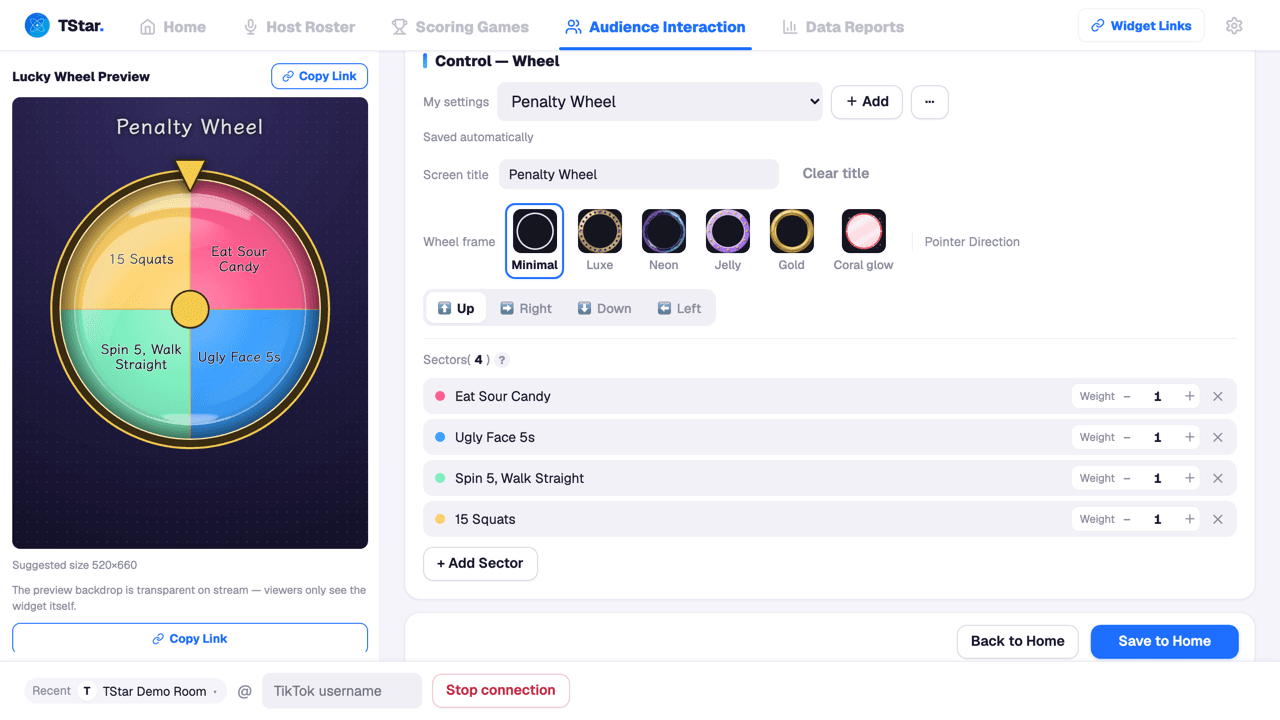
- Lucky WheelThe host taps "Spin" and the wheel randomly draws a result based on each sector's weight — great for giveaways, doesn't touch the score.
- Penalty WheelThe same Wheel tool as Lucky Wheel, loaded with a penalty/challenge template (push-ups, sing a line…) — the host taps "Spin" to draw one at random.
- Lucky DiceA single die supports 3D rendering. Two to four dice use flat animated rendering. Lite mode or an unsupported graphics environment also uses the flat version; outcomes are unchanged.
- Card FlipA standalone card-draw tool — the host taps Flip and the deck gathers to the center, riffle-shuffles, spreads back out, then flips one card to reveal the result. Pick from five card styles: Arcade, Luxe, Festive, Tarot, or Minimal. Doesn't touch scores.
- PollThe host sets a question and 2–10 options; viewers vote by commenting a code or the option text, and the host manually announces the correct answer.
- Omikuji DrawA standalone omikuji-tube draw tool — the host taps "Spin" to shake the tube and draw a fortune slip, with a choice of visual styles and customizable vertical text on the tube. Great for a fortune-telling moment.
- PK DuelThe score bars show each side’s host name, avatar and representative sticker. The three visibility switches affect appearance only. Scores update from gifts; after settlement the final score remains visible.
- Song RequestsOpen a signup round — viewers who gift past the diamond threshold get a shot at picking the next song, and the host logs the title into the play queue.
- Gauntlet PKThe rotating version of PK: 2 to 4 hosts compete on stage at once, and after every round the swap rule (winner stays or last place leaves) rotates people in and out. Each host has a representative sticker that follows them, and a tie means a rematch.
- Gift WallEach page holds up to 8 tiles. Extra tiles create the next page automatically, up to 3 pages and 24 tiles in total.
- Free StageHosts take turns on stage, and one timer bar shows the countdown, current diamonds and the goal; when time runs out the turn is settled as cleared or not cleared, and the host presses "Next" to bring up the next performer and "Start" to begin the countdown.
Audience Tools & Data
- Interactive WidgetsSet up Mystery Box, Claw Machine, Bingo Balls and Interaction Goals. Learn gift triggers, prize settings and how to run audience widgets during a live.
- Data Reports & Guild DashboardCheck current-round live stats on the console Home page. Review archived sessions, cross-session analysis and gift details on the website, with CSV and Excel exports.
FAQ & Troubleshooting
- TroubleshootingStep-by-step checklists for the six most common issues: can't connect to the stream, overlays not showing, activation failures, update failures, scores not moving, and frame drops or stuttering.
- FAQCommon questions about billing, device-bound license keys, switching accounts, hardware requirements, and how scoring works.