Монополия
От 2 до 8 ведущих ходят по полю, а зрители финансируют покупку и улучшение участков. На чужом участке уровня 1–3 выберите выкуп или покупку. Выкуп равен базе выкупа × уровень; покупка равна цене земли × уровень × множитель покупки (по умолчанию 2) с сохранением уровня здания. Как считается каждая сумма, смотрите в разделе «Как считаются деньги» ниже. Чужой участок уровня 4 сразу отправляет в тюрьму: без колеса наказаний и покупки. Победителя нет.
В этой игре нет победителя
В отличие от других игр с подсчётом очков, в «Монополии» нет соревновательного рейтинга. При завершении игры на табло статистики распределяются шуточные звания, такие как «Больше всех сидел в тюрьме», «Больше всех штрафов» и «Магнат недвижимости» — каждый участник получает свой значок, и никто не уходит проигравшим.
Что видят зрители
Игровое поле представляет собой кольцо из 24 клеток (прямоугольник 6×8). Центр поля полностью прозрачен — это сделано намеренно: оверлей не должен закрывать видеопоток под ним, поэтому полое кольцо позволяет видеть лица ведущих в центре, пока поле огибает экран по периметру. У каждого места свой цвет фишки; если несколько фишек оказываются на одной клетке, они слегка сдвигаются в сторону, чтобы не перекрывать друг друга.
На каждой клетке изображена самая известная достопримечательность этого места: в Тайбэе это 101, в Тайнане — башня Чикань, а на мировых скинах — статуя Свободы и Эйфелева башня. Названия мест ненавязчиво расположены над клетками, чтобы не перебивать иллюстрации; только когда фишка останавливается на клетке, её название ярко загорается на тёмной плашке.
Когда подходит очередь ведущего бросать кости, в центре поля запускается анимация катящихся кубиков, после чего фишка шаг за шагом идёт к целевой клетке. В момент остановки в центре плавно всплывает карточка клетки с увеличением масштаба — кто и куда встал, рядом с достопримечательностью этой клетки — и задерживается на мгновение перед открытием окна сбора или экрана штрафа, чтобы зрители не потеряли фишку из виду. В зависимости от того, куда встал игрок, зрители видят:
- Свободная клетка — всплывает окно сбора средств «Собрано X / Y алмазов». Оно ожидает в состоянии «Скоро начнётся», пока ведущий объявляет участок; как только вы нажимаете старт, запускается таймер, и подарки от фанатов этого ведущего заполняют шкалу.
- Своя клетка (не максимального уровня) — такое же окно сбора средств, но в этот раз сбор идёт на улучшение участка.
- Чужой участок уровня 1–3: сначала выберите выкуп или покупку. Выкуп = база выкупа × уровень этого участка (уровень 1 ×1, уровень 2 ×2, уровень 3 ×3), одинаково в любой зоне. Покупка = цена земли этой клетки × уровень × множитель покупки (по умолчанию 2), поэтому чем дороже зона и выше здание, тем труднее купить. Для выкупа нажмите начало сбора, для покупки — начало покупки. Если включён «Автостарт», выбор покупки запускает отсчёт автоматически по истечении настроенной задержки. Успех меняет владельца, сохраняя уровень. Неудача любого сбора запускает обычное наказание, а владелец и уровень не меняются.
- Чужой участок уровня 4 или клетка отправки в тюрьму: сразу в тюрьму с открытием сбора залога, без колеса наказаний и покупки.
- Клетка «Шанс» — в центре поля сначала готовится колесо шансов и ждёт нажатия «Запустить колесо». Сектор, на котором оно остановится, выбирает карту; только после этого анимация переворота открывает её и применяется эффект. Ведущий может настраивать колоду: по умолчанию доступны бесплатное улучшение, немедленная тюрьма и повторный бросок, а также можно добавлять текстовые задания («спеть песню») или «переместиться вперёд/назад на N клеток».
Несобранная сумма всё равно сохраняет алмазы
Если время окна сбора истекает до достижения цели, сделка срывается, и клетка остаётся свободной — на неё можно встать и выкупить позже. Однако каждый алмаз, отправленный во время сбора, полностью учитывается в рейтинге подарков и в итоговом отчёте за стрим; ничто не теряется из-за того, что сбор не завершился.
Как считаются деньги
На поле пять видов сумм, которые нужно собрать. Сначала запомните, как получается цена земли; остальные считаются от неё или от другого числа:
| Что собираем | Как считается | Пример с заводскими значениями |
|---|---|---|
| Цена земли (покупка свободной клетки) | Базовая цена земли × множитель зоны, где стоит клетка | База 500, четыре зоны 1 / 1,25 / 1,5 / 2 → 500 / 625 / 750 / 1000 алмазов за клетку |
| Стоимость улучшения | Цена земли этого участка × множитель улучшения | Земля за 1000: уровень 1→2 1500, 2→3 2000, 3→4 3000 алмазов |
| Выкуп участка | База выкупа × уровень этого участка | База 500: уровень 1 500, уровень 2 1000, уровень 3 1500 алмазов, одинаково в любой зоне |
| Цена покупки | Цена земли этого участка × уровень × множитель покупки | Земля 1000, множитель 2: уровень 1 2000, уровень 2 4000, уровень 3 6000 алмазов |
| Тюремный залог | Фиксированное число, которое задаёте вы | 1000 алмазов, не зависит от цены земли и уровня |
- Цена земли — это цена каждой клетки; четыре клетки одной зоны стоят одинаково. Число в скобках рядом с каждой зоной в настройке «множители цен по зонам» — это фактическая цена земли в этой зоне.
- Выкуп зависит только от уровня, а не от цены земли, поэтому участок уровня 2 в дешёвой и в дорогой зоне требует одинакового выкупа.
- Покупка сохраняет уровень здания, поэтому её цена растёт и с ценой земли, и с уровнем: чем дороже зона и выше здание, тем труднее его отобрать.
- Попадание на ориентир уровня 4 сразу отправляет в тюрьму: без выкупа и без покупки.
- Все суммы фиксируются в момент открытия окна. Последующие изменения настроек влияют только на следующие ходы и не переписывают уже открытое окно.
Во время сбора зрителям не обязательно нажимать на аватар
Пока идёт обратный отсчёт сбора, любой подарок, не адресованный конкретному другому месту, засчитывается в текущее окно сбора — независимо от того, нажимал зритель на аватар ведущего или нет. Подарки, отправленные конкретно другому месту, по-прежнему принадлежат этому ведущему и никогда не поглощаются окном сбора.
21 стиль доски, названия мест следуют за стилем
Поле поставляется с 21 полным художественным стилем: клетки, рамка, домики и кости выполнены в едином стиле. Стиль определяет, что изображено на доске: помимо Тайваня, городов мира, Японии и Кореи, есть доски с Таиландом, Вьетнамом, Индонезией, Китаем, арабским миром, Россией, Шёлковым путём Центральной Азии, Испанией, Францией, Великобританией, Италией, США, Индией и Египтом. В меню стили подписаны как «страна / регион · стиль», так что один и тот же набор городов может выходить в разном художественном оформлении. Названия мест автоматически следуют за стилем и показываются на текущем языке консоли.
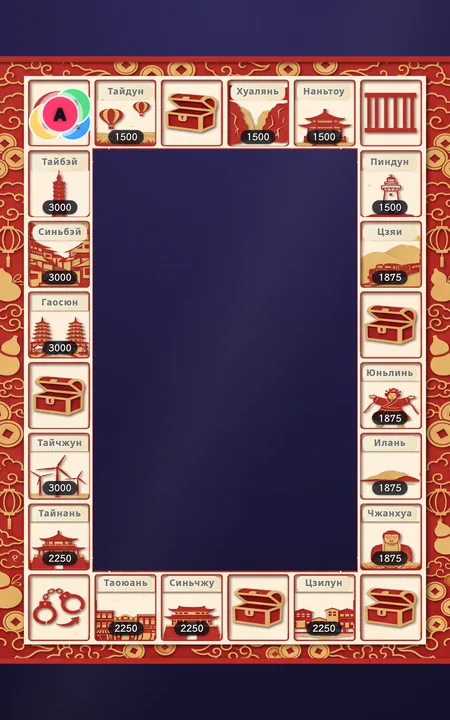
Тайвань・Вырезка из бумаги
Города Тайваня / Достопримечательности Тайваня
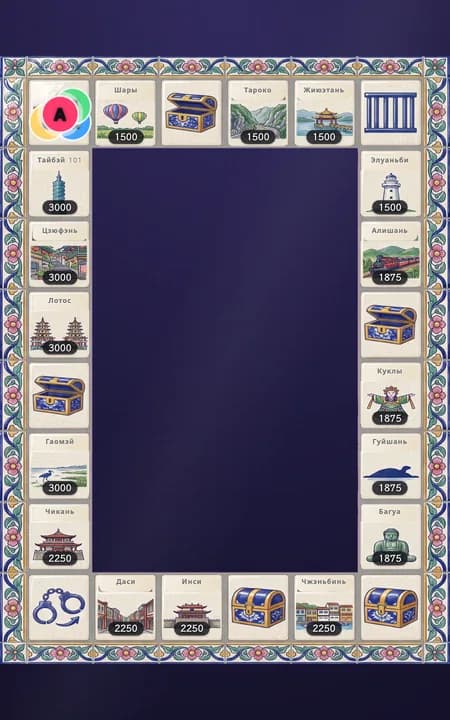
Тайвань・Майолика
Города Тайваня / Достопримечательности Тайваня (показаны: достопримечательности)
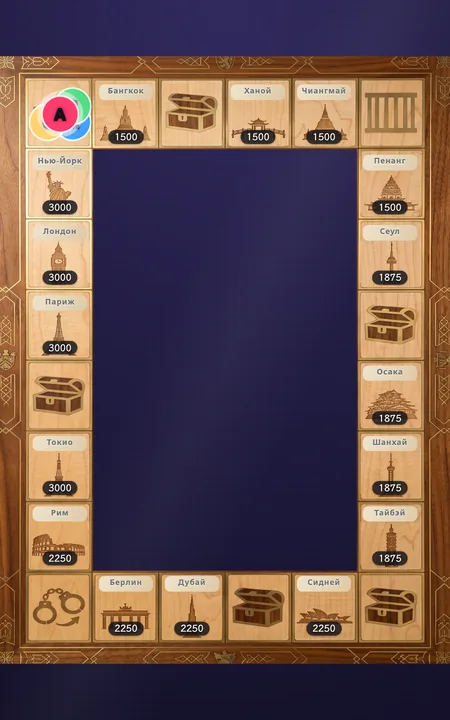
Мир・Инкрустация по дереву
Города мира
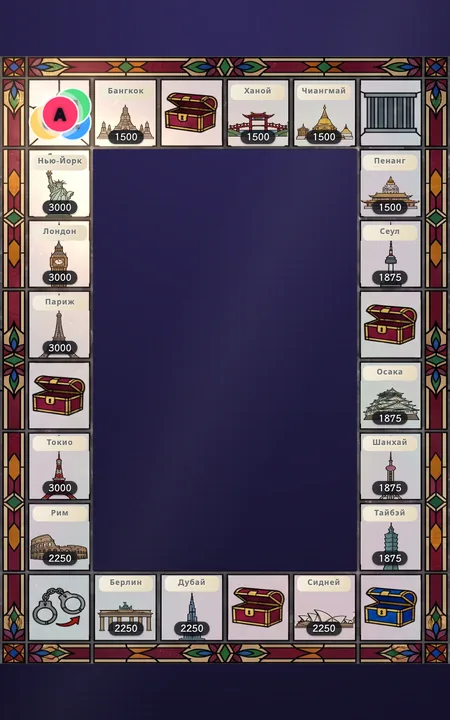
Мир・Витраж
Города мира
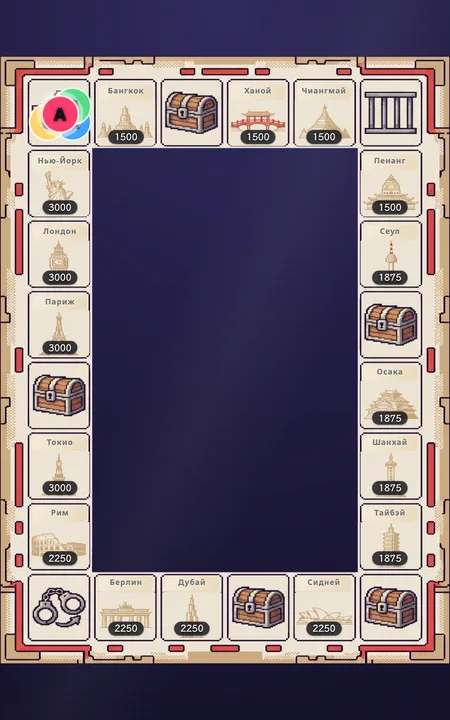
Мир・Пиксели
Города мира
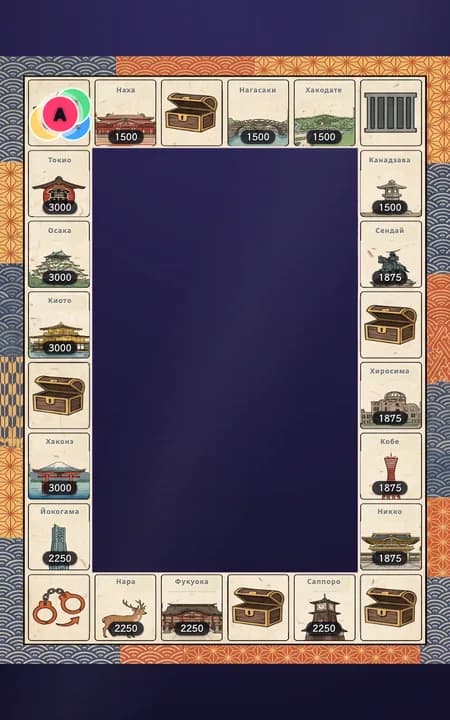
Япония・Укиё-э
Города Японии
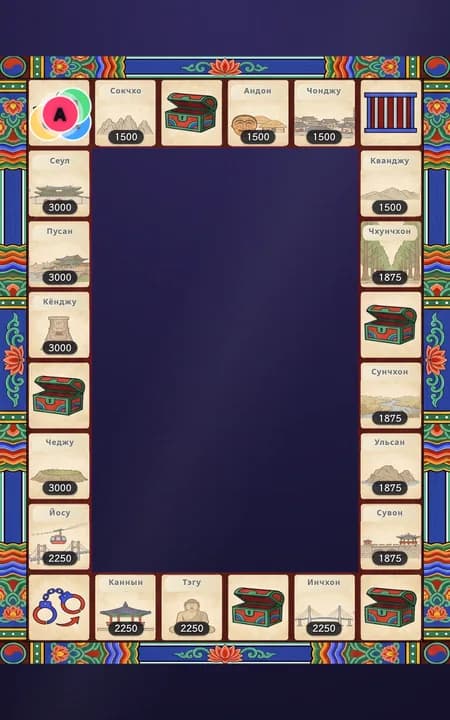
Корея・Данчхон
Города Кореи
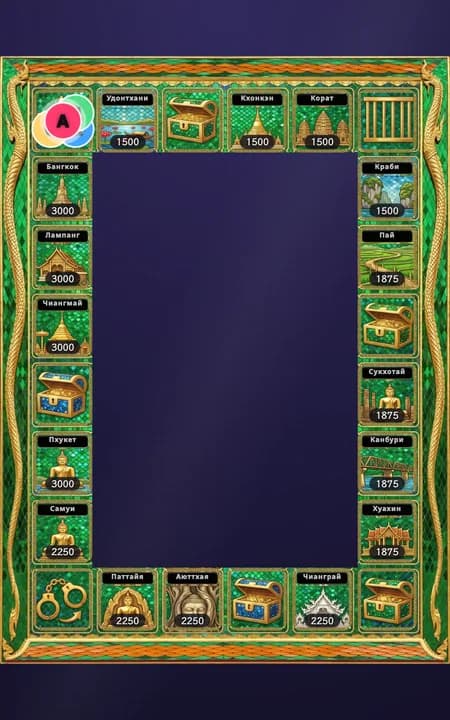
Таиланд・Храм Изумрудного Будды
Города Таиланда
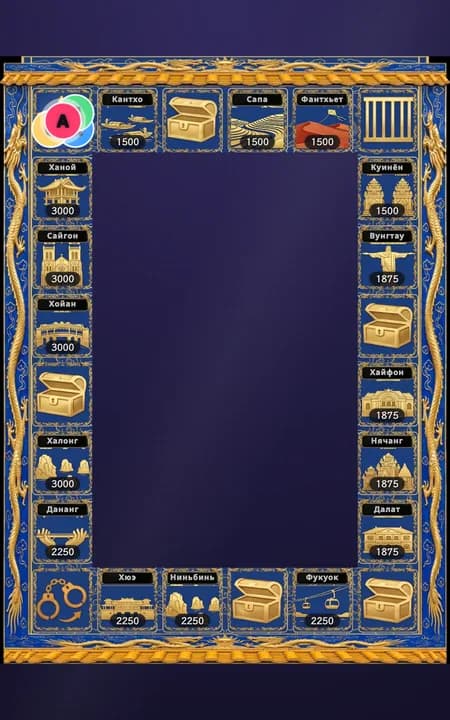
Вьетнам・Императорский город Хюэ
Города Вьетнама
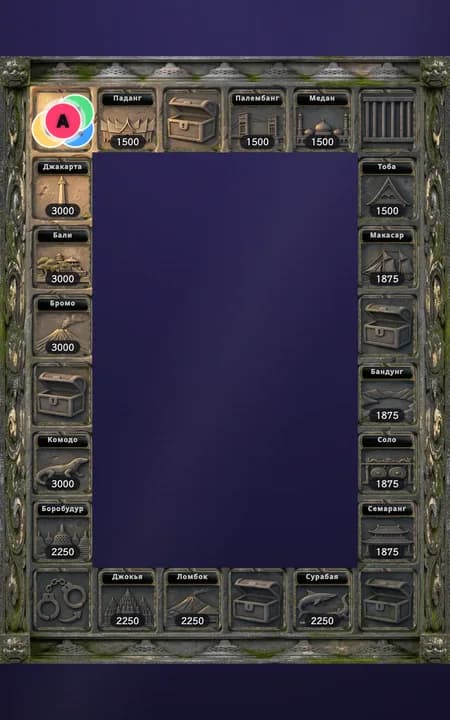
Индонезия・Боробудур
Города Индонезии
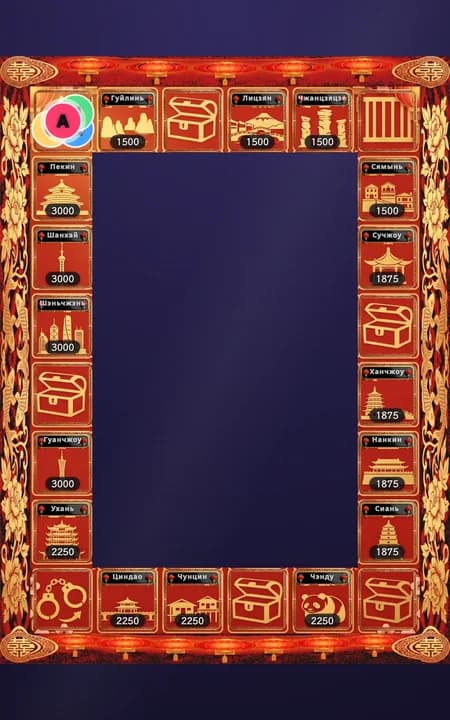
Китай・Новогодняя вырезка из бумаги
Города Китая
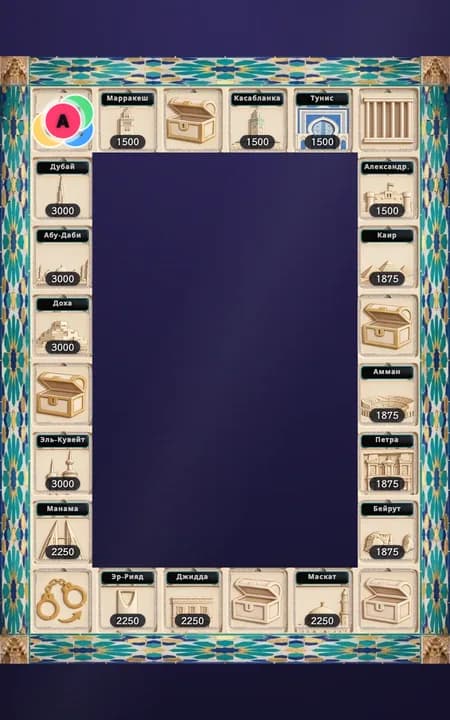
Аравия・Альгамбра
Города Аравии
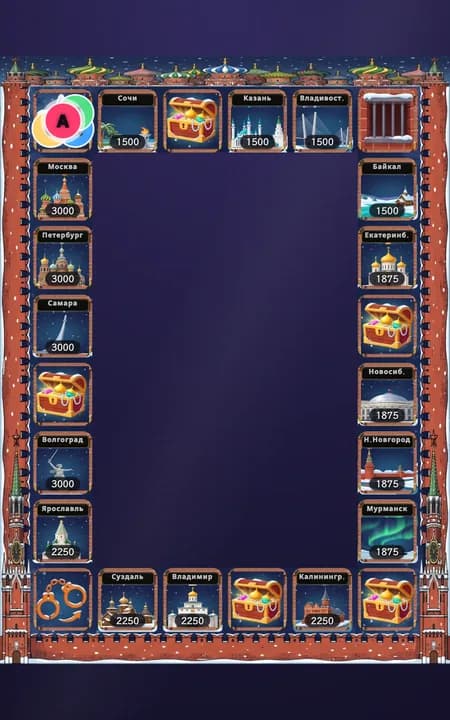
Россия・Собор Василия Блаженного
Города России
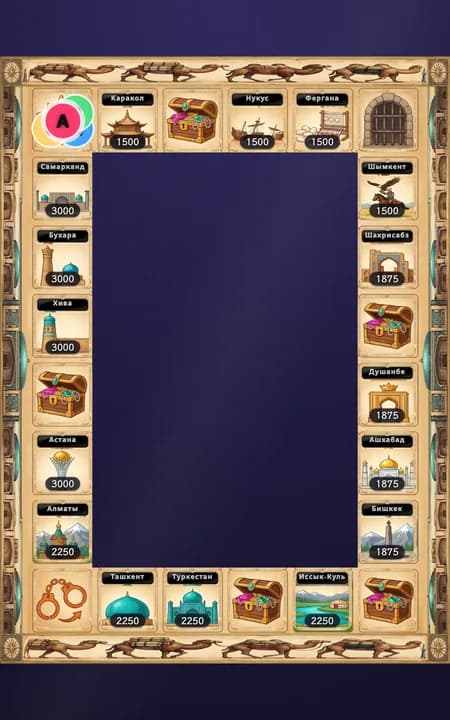
Шёлковый путь・Караван верблюдов
Города Шёлкового пути
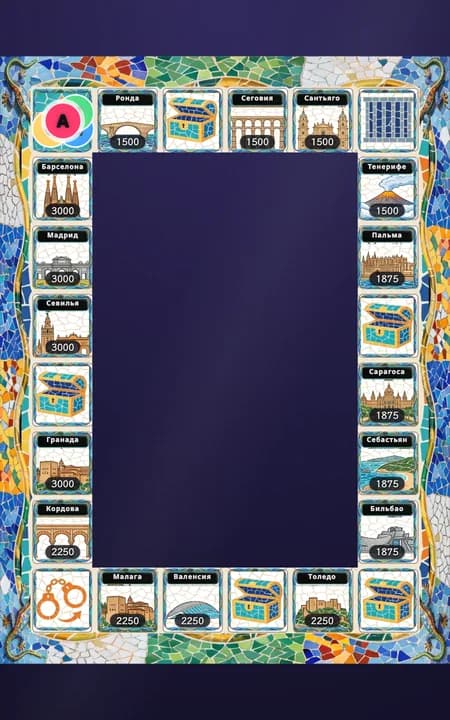
Испания・Мозаика Гауди
Города Испании
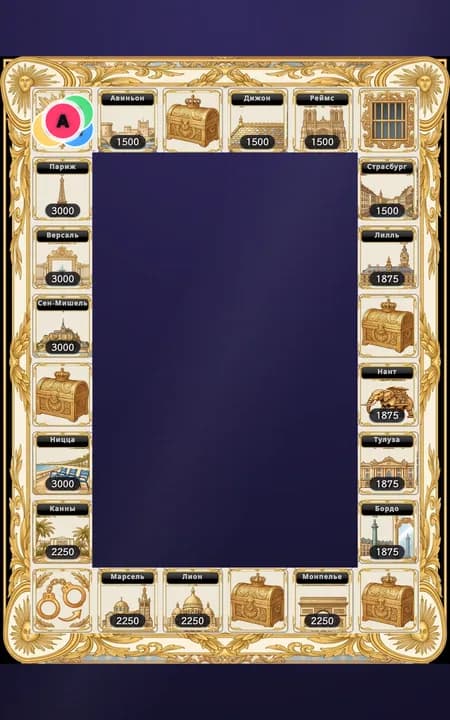
Франция・Версаль
Города Франции
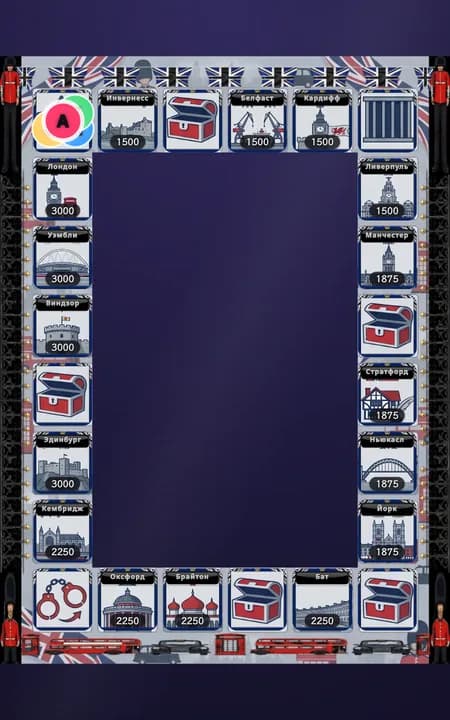
Британия・Лондон
Города Британии
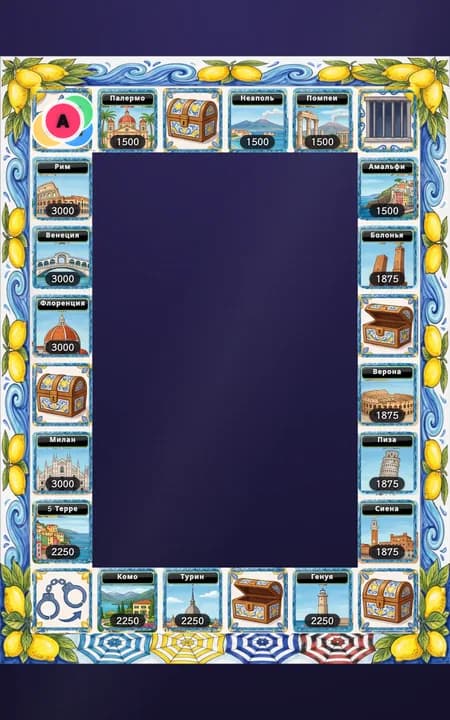
Италия・Амальфитанское побережье
Города Италии
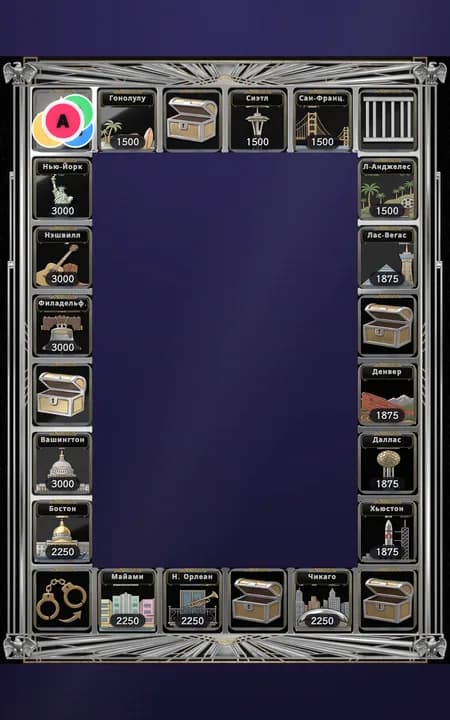
США・Ар-деко небоскрёбов
Города США
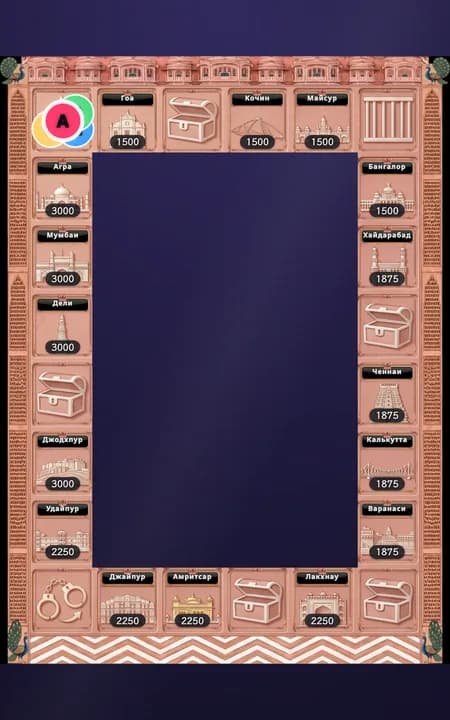
Индия・Розовый город Раджастхана
Города Индии
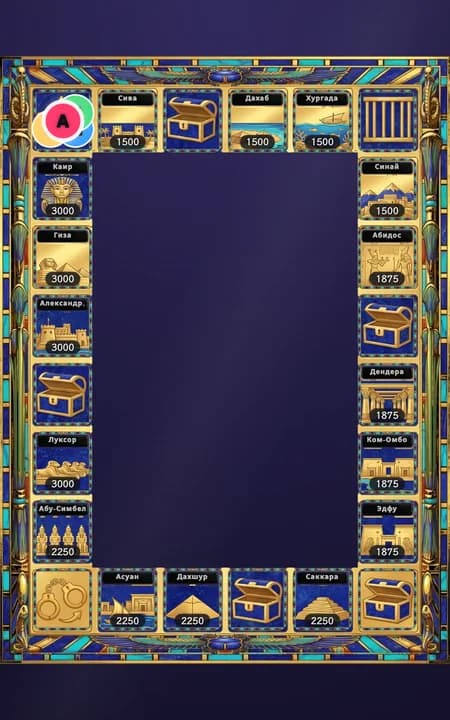
Египет・Золото фараонов и лазурит
Города Египта
Смена стиля во время игры не сбрасывает партию
Меняются только графика и названия — правила клеток, цены, позиции фишек и купленная недвижимость остаются неизменными, так что настроение можно смело менять прямо во время эфира.
Подготовка перед выходом в эфир
Выберите «Монополию»
Перейдите на страницу «Игры с подсчётом» и выберите «Монополию» на шаге 1.
Выберите участвующие места
Первые 2–8 человек в сегодняшнем списке ведущих становятся игроками автоматически. Добавляйте и удаляйте ведущих через управление списком, меняйте порядок стрелками. Нужно минимум двое.
Выберите стиль доски и названия мест
Выберите одно из 21 оформлений доски. Названия мест меняются автоматически вместе с оформлением; отдельного выбора названий нет.
Задайте три основных параметра
Базовая цена земли (алмазы) с множителем зоны определяет цену клетки. Время сбора (секунды) используется для покупки, улучшения и выкупа. Время покупки чужого участка (секунды) отдельно задаётся для уровней 1–3. Тюремный залог (алмазы) используется только для залога в тюрьме и не зависит от цены земли. Выкуп при попадании на чужой участок определяется базой выкупа (база × уровень этого участка), а страница настроек сразу показывает, сколько платят уровни 1, 2 и 3. Множитель цены приобретения: цена приобретения равна цене земли × уровень × этот множитель. У каждого поля есть «?» с формулой и примером. Изменение действует при следующих посещениях; текущая цель сбора не меняется.
(Необязательно) Откройте «Расширенные настройки»
Цены, темп раунда и содержание игры находятся в отдельных группах. Дополнительные настройки меняют только длительность движения фишек и анимации колеса.
Сохраните на главную
Нажмите «Сохранить на главный экран» внизу страницы — конфигурация сохранится и появится на главном экране консоли, готовая к запуску в прямом эфире. Кнопка «Сохранить на главный экран» лишь закрепляет эту карточку на главной и не меняет экран зрителей; чтобы зрители её увидели, вернитесь на главную и нажмите на эту карточку. Монополия — исключение: её игровое поле сохраняется, и переключение игр на главной для неё не блокируется. Ведущий, добавленный в список отсюда, попадает в общий список ведущих, а не только в эту карточку.
Проведение игры в прямом эфире
Вернувшись на главную страницу, найдите сохранённую карточку «Монополии»:
Нажмите «Начать» и бросьте кубик текущего места. На чужом участке уровня 1–3 выберите выкуп или покупку. Покупка имеет отдельный таймер, стоит цену земли × уровень × настроенный множитель (по умолчанию 2) и при успехе меняет владельца без снижения уровня. Выкуп ждёт начала сбора, а покупка — начала покупки; при включённом «Автостарте» выкуп или покупка начинаются автоматически после выбора, по истечении настроенной задержки, но автостарт не выбирает вариант за ведущего. Подарки до старта учитываются в рейтинге, но не в цели сбора. Неудача запускает обычное наказание. Уровень 4 сразу отправляет в тюрьму и открывает сбор залога. Правила заранее показаны в настройках и управлении игрой.
Клетка шанса или неудачный выкуп/покупка уровня 1–3 могут открыть колесо. Запустите его после объяснения или включите «Автостарт», чтобы колесо крутилось автоматически по истечении настроенной задержки. Эффект шанса применяется после остановки; результат наказания остаётся до завершения. Уровень 4 не открывает колесо наказаний.
Когда событие завершено, нажмите «Следующий игрок» для передачи хода. Если ведущий внезапно отлучился, в момент наступления его очереди (до броска костей) в панели доступна кнопка «Пропустить это место» — два нажатия для подтверждения, и ход переходит дальше. Это единственный момент, когда можно пропустить игрока; если кости брошены, ход должен быть сыгран. Если фишка прошла клетку «Старт», игрок получает один бесплатный дополнительный бросок — в панели появится кнопка «Бросить ещё раз»: нажмите её, чтобы воспользоваться броском, а если он не нужен, просто нажмите «Следующий игрок» — бросок аннулируется. Нажмите «Пауза», если нужен перерыв — таймер остановится, и «Возобновить», чтобы продолжить; длительная пауза не сбросит игру при возвращении.
Выход из тюрьмы
Место в тюрьме автоматически пропускает свой ход. Если никто не вносит залог, ведущий освобождается автоматически после одного полного круга (когда все остальные участники сделают по одному броску; если ведущий нажал «Следующий игрок» и пропустил чей-то ход, это тоже засчитывается). Залог настраивается отдельно от базовой цены земли — изменение одного значения не влияет на другое.
Когда вы решите завершить игру, нажмите «Завершить раунд» — появится окно подтверждения (любой открытый сбор средств отменяется, но алмазы учитываются в рейтинге подарков). Завершение игры выводит на оверлей весёлое табло статистики: кто дольше всех просидел в тюрьме, кто получил больше всех штрафов, самый дорогой участок на доске и крупнейший спонсор игры; все остальные места получают поощрительные значки вроде «Путешественник» или «Без происшествий». После подведения итогов кнопка «Сбросить» очищает поле для абсолютно новой партии.
Частые вопросы
В: Есть ли в Монополии победитель или рейтинг? О: Нет. В этой игре намеренно нет определения победителя по очкам — при завершении игры отображается забавное табло статистики, где каждому месту достаётся шуточный значок («Завсегдатай тюрьмы», «Больше всех штрафов», «Магнат недвижимости», «Любимец фанатов», «Путешественник», «Без происшествий») без составления соревновательного рейтинга.
В: Что произойдёт, если сбор средств не наберёт нужную сумму? Ответ: Неудачная покупка оставляет землю свободной, неудачное улучшение сохраняет уровень. Неудачная покупка чужого участка сохраняет владельца и уровень; неудачный выкуп или покупка запускают наказание. Подарки остаются в рейтинге и отчёте эфира.
В: Попадание на клетку соперника всегда активирует штраф? Ответ: Не всегда. На уровне 1–3 можно выбрать выкуп или покупку и избежать наказания, достигнув цели. Выкуп равен базе выкупа × уровень; покупка стоит цену земли × уровень × настроенный множитель (по умолчанию 2), меняет владельца и сохраняет уровень. Неудача приводит к наказанию. Уровень 4 сразу отправляет в тюрьму с возможностью залога, без покупки и колеса наказаний.
В: Залог за тюрьму равен базовой цене земли? О: Нет, это две независимые настройки. Даже если никто не заплатит залог, фишка автоматически выйдет на свободу после одного полного круга (когда все остальные сделают по одному броску).
В: Что может выпасть из карты «Шанс»? О: Всё, что ведущий добавит в колоду. По умолчанию в ней три карты: бесплатное улучшение своей недвижимости (выпадает реже), прямая отправка в тюрьму или дополнительный бросок. В панели «Монополии» на странице игр с подсчётом можно изменять текст и вероятность каждой карты, удалять их и добавлять новые. Текстовые карты (например, «спеть песню») ведущий отыгрывает в прямом эфире, а карты перемещения («вперёд/назад на N клеток») действительно передвигают фишку. Если выпало бесплатное улучшение, но у ведущего нет свободных участков для застройки, карта просто сработает вхолостую.
В: Можно ли изменить оформление доски или названия мест? Выберите одно из 21 оформлений доски. Названия мест меняются автоматически вместе с оформлением; отдельного выбора названий нет.
В: Нужно ли ведущему постоянно регулировать темп игры? Цены, темп раунда и содержание игры находятся в отдельных группах. Дополнительные настройки меняют только длительность движения фишек и анимации колеса.