Monopoly
Monopoly supports 2–8 hosts taking turns around the board. Viewers fund purchases on empty tiles and upgrades on owned tiles. On another host's level 1–3 property, choose Pay ransom or Acquire property. Ransom is the ransom base × the level; acquisition is land price × level × the acquisition multiplier (default 2), and the building level is preserved. See “How the money works” below for every amount. Another host's level 4 property sends the visitor straight to jail: no penalty wheel and no acquisition option. The game has no winner.
This game has no winner
Unlike other scoring games, Monopoly has no score ranking. When you wrap up, the stats board hands out fun, sometimes-unflattering badges like "Most time in jail," "Most penalties," and "Property tycoon" — every seat gets one, and nobody loses.
What viewers see
The board is a 24-tile ring (a 6×8 rectangle). The middle is completely transparent — that's deliberate: the overlay can't touch the video underneath, so a hollow ring is what lets every host's face show through the center while the board only draws on the outer loop. Each seat has its own token color; tokens sharing a tile nudge apart slightly so they don't stack invisibly.
Every tile is drawn with the most famous landmark of that place — Taipei gets the 101, Tainan gets Chihkan Tower, and on the world skins it's the Statue of Liberty and the Eiffel Tower. Place names sit faintly above each tile so they never fight the artwork; only when a token lands on a tile does that name light up into a dark nameplate.
When it's a seat's turn to roll, the center of the board plays a dice-tumbling animation, then the token walks step by step to the landing tile. The moment it lands, a landing card pops up in the middle and scales in — who landed where, with that tile's landmark next to it — and holds for a beat before the funding window or penalty screen takes over, so viewers never miss where the token went. Depending on where you land, viewers next see one of:
- An empty tile — a funding window pops up showing "raised X / Y diamonds". It waits on "Starting soon" while you talk the plot through; once you start it, the countdown runs and gifts from that host's fans push the bar forward.
- Your own tile (not maxed out) — same funding window, but it's raising money for an upgrade this time.
- Another host's property, level 1–3 — the console first offers Pay ransom or Acquire property. Ransom = the ransom base × that land's level (level 1 ×1, level 2 ×2, level 3 ×3), the same in every zone. Acquisition = that land's land price × level × the acquisition multiplier (default 2), so pricier zones and taller buildings are harder to take. Press Start funding for ransom or Start acquisition for acquisition. With Auto-start on, choosing acquisition starts the countdown automatically after the configured delay. Successful acquisition transfers ownership and preserves the level. Either option failing leads to the existing penalty flow; the previous owner and level remain unchanged.
- Another host's level 4 property, or Go to Jail — straight to jail, followed by a jail bail window. No penalty wheel and no acquisition option.
- A Chance tile — a chance wheel is armed in the middle of the board first and waits for the host to press “Start the wheel”. The slice it stops on is the card drawn; only then does the flip animation reveal it and the effect apply. The host edits the deck: it ships with free upgrade, straight to jail and roll again, and you can add text-only dares like "sing a song" or "move forward/back N tiles."
Funding that falls short still keeps the diamonds
If a funding window's countdown ends before the target is reached, the deal falls through and the tile stays unowned — someone can land there and fund it later. But every diamond sent during that window still counts on the gift leaderboard and the full session report; nothing is lost just because the deal fell through.
How the money works
There are five kinds of amounts to fund on the board. Start with how the land price is set; the others are worked out from it or from one other number:
| Amount to fund | How it is worked out | Factory-default example |
|---|---|---|
| Land price (buying an empty tile) | Base land price × the multiplier of the zone the tile is in | Base 500, four zones 1 / 1.25 / 1.5 / 2 → 500 / 625 / 750 / 1000 diamonds per tile |
| Upgrade cost | That land's land price × the upgrade multiplier | Land price 1000: level 1→2 1500, 2→3 2000, 3→4 3000 diamonds |
| Property ransom | Ransom base × that land's level | Base 500: level 1 500, level 2 1000, level 3 1500 diamonds, the same in every zone |
| Acquisition price | That land's land price × level × acquisition multiplier | Land price 1000, multiplier 2: level 1 2000, level 2 4000, level 3 6000 diamonds |
| Jail bail | A fixed number you set | 1000 diamonds, unrelated to land price and level |
- The land price is each tile's own price; the four tiles in a zone cost the same. The number in brackets beside each zone in the “zone price multipliers” setting is that zone's actual land price.
- Ransom depends only on the level, not on land price, so a level 2 land pays the same ransom in a cheap zone and an expensive one.
- Acquisition preserves the building level, so its price rises with both land price and level: the pricier the zone and the taller the building, the harder it is to take.
- Landing on a level 4 landmark sends the visitor straight to jail: no ransom and no acquisition.
- Every amount is fixed the moment the window opens. Later setting changes only affect later turns and never rewrite a window that is already open.
During funding, viewers don't have to tap an avatar first
While a funding countdown is running, any gift that isn't addressed to another seat counts toward the window being funded — whether or not the viewer tapped a host's avatar. Gifts addressed to another seat still belong to that host and are never absorbed by the window.
21 board styles, and the place names follow the style
The board comes in 21 complete art sets — tiles, frame, houses and dice all share one style. The style decides what the board depicts: besides Taiwan, world cities, Japan and Korea, there are boards for Thailand, Vietnam, Indonesia, China, the Arab world, Russia, the Central Asian Silk Road, Spain, France, the UK, Italy, the USA, India and Egypt. The menu labels each one as "country/region・style", so the same set of cities can come in different art styles. Place names follow the style automatically and are shown in the console's current language.
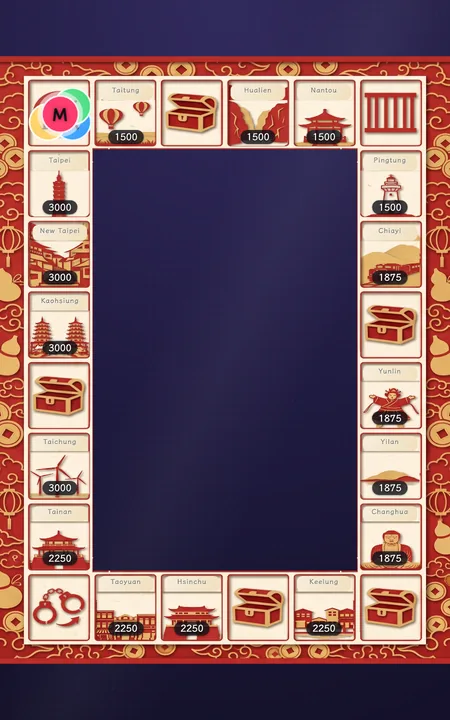
Taiwan・Paper Cut
Taiwan cities / Taiwan sights
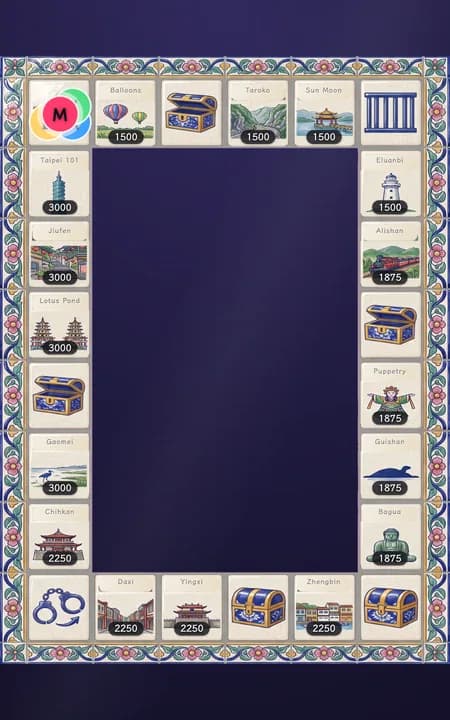
Taiwan・Majolica
Taiwan cities / Taiwan sights (shown: sights)
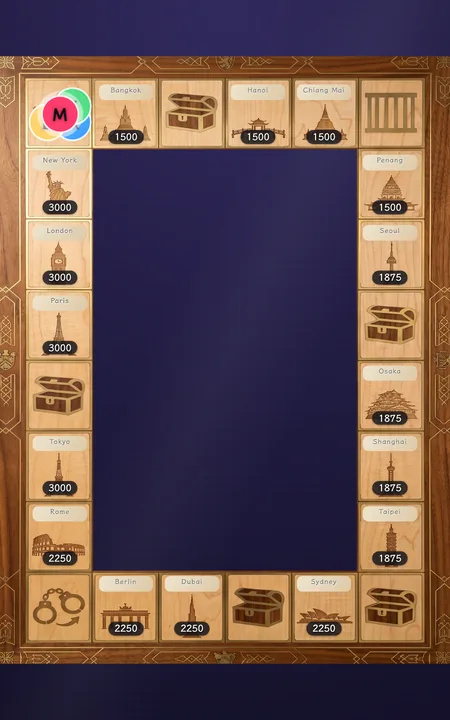
World・Wood Inlay
World cities
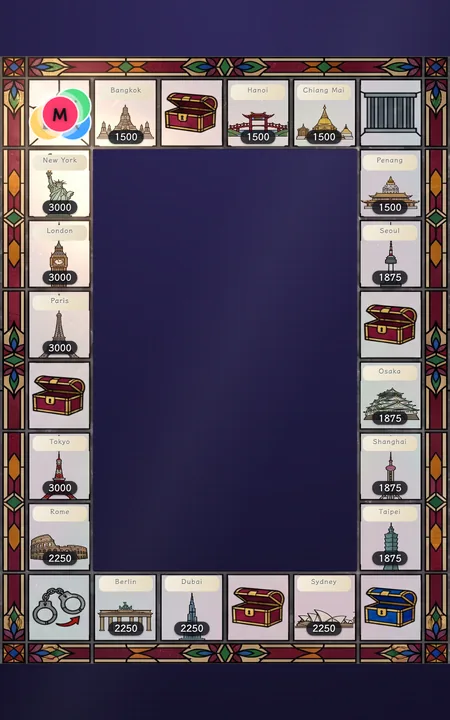
World・Stained Glass
World cities
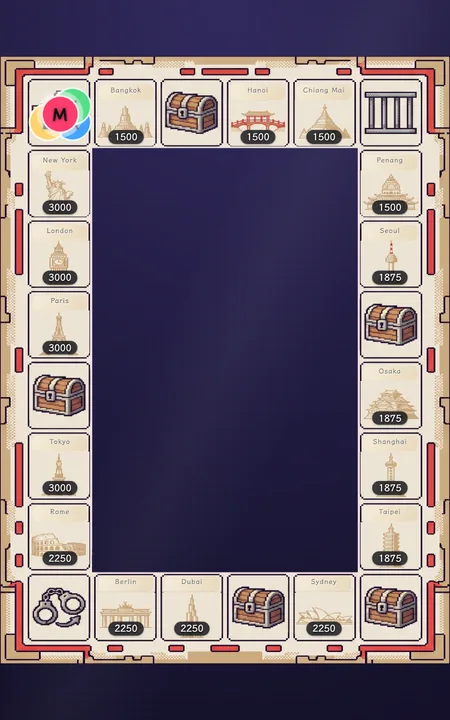
World・Pixel
World cities
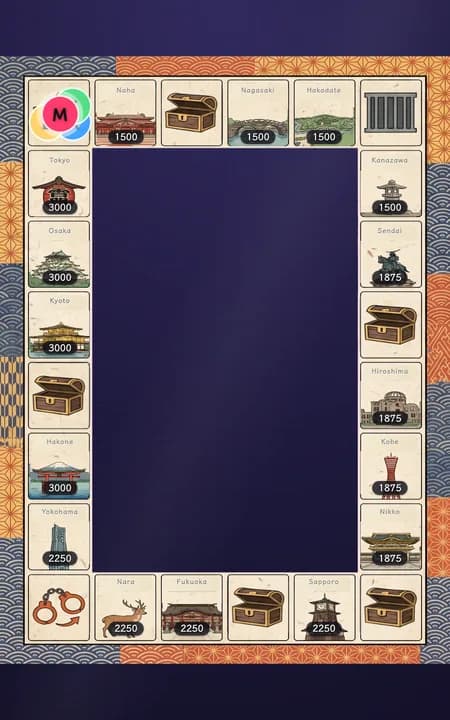
Japan・Ukiyo-e
Japan cities
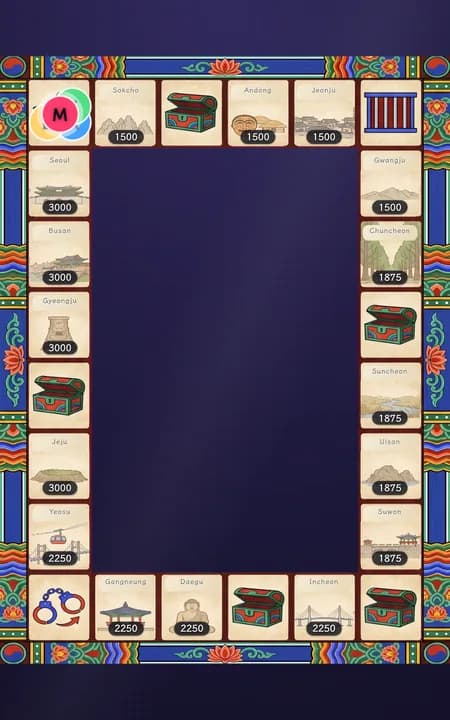
Korea・Dancheong
Korea cities
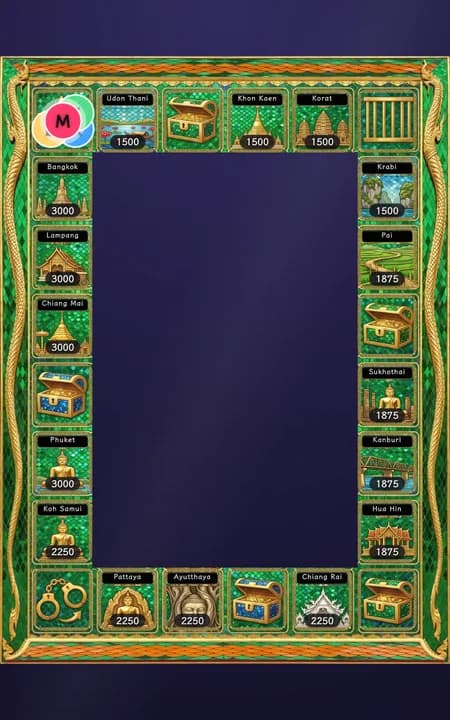
Thailand・Emerald Buddha Temple
Thai cities
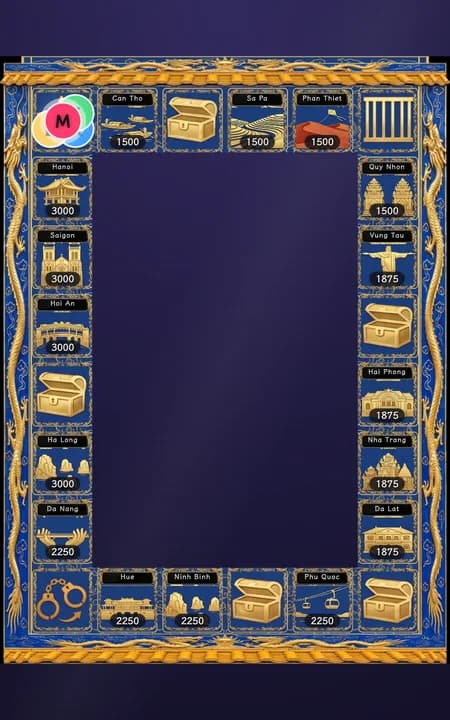
Vietnam・Huế Imperial City
Vietnamese cities
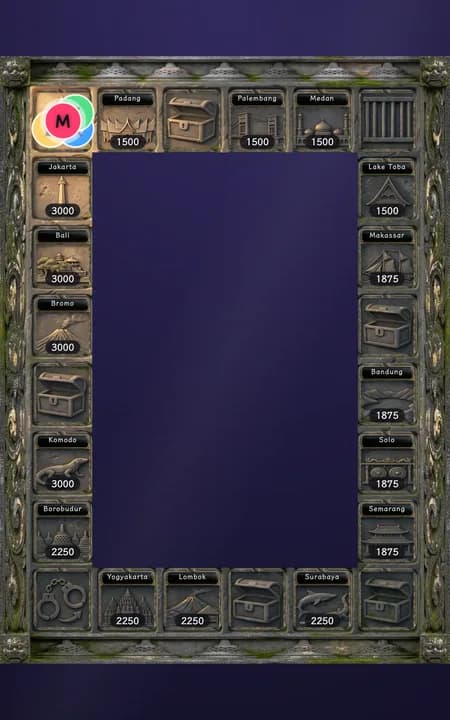
Indonesia・Borobudur
Indonesian cities
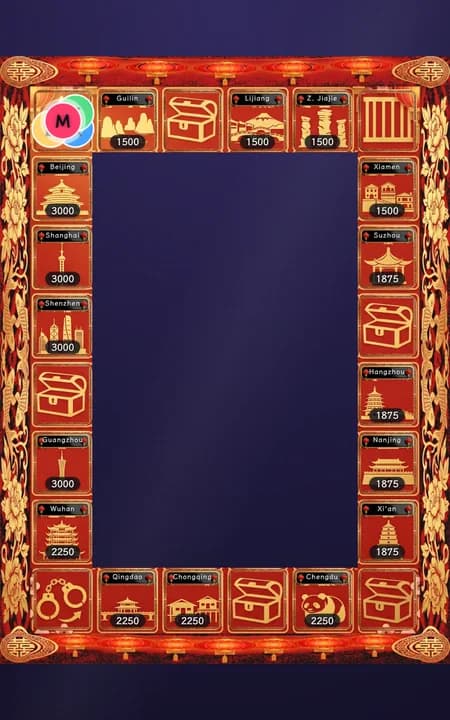
China・New Year Paper-Cut
Chinese cities
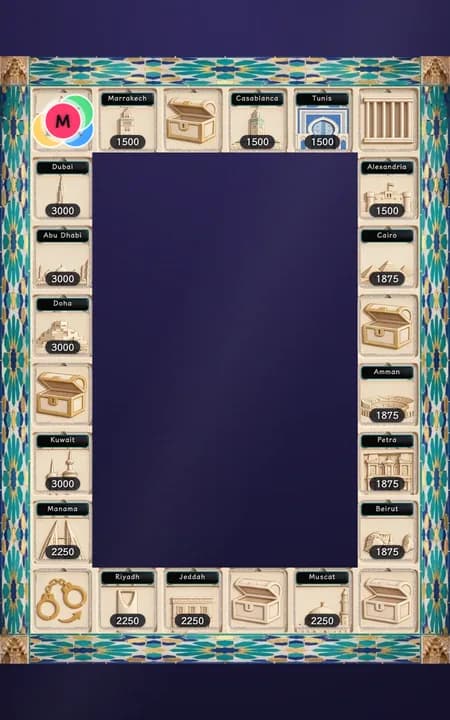
Arabia・Alhambra
Arab cities
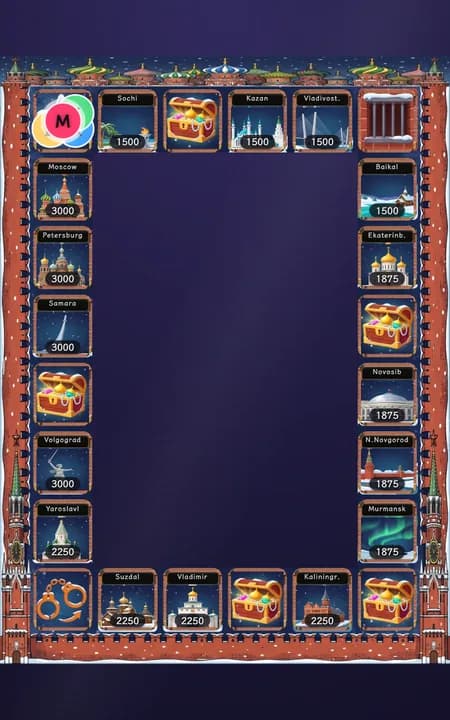
Russia・St. Basil's Cathedral
Russian cities
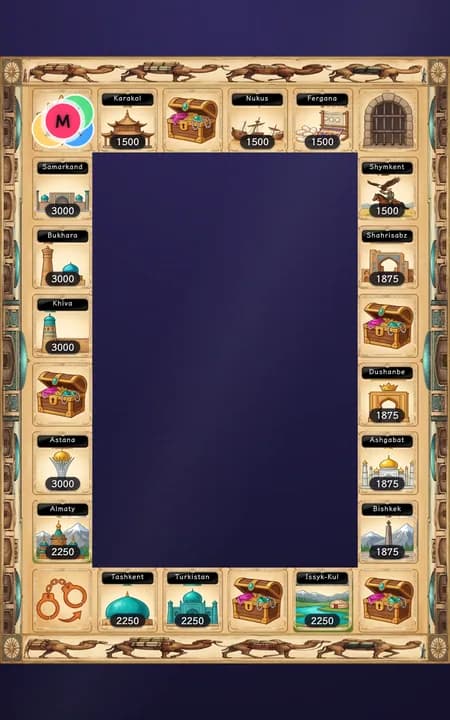
Silk Road・Camel Caravan
Silk Road cities
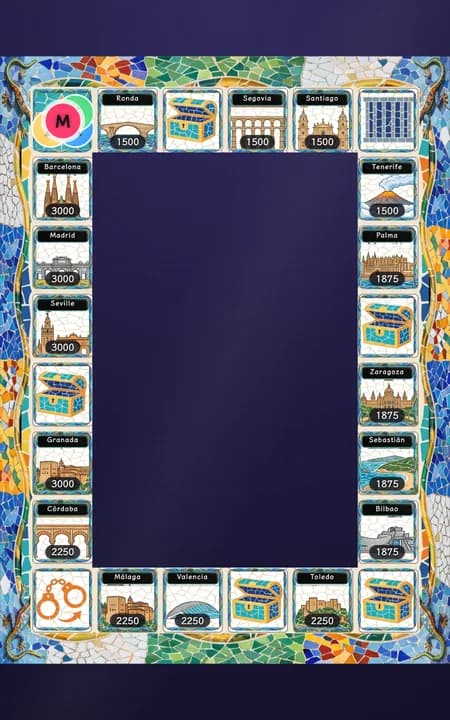
Spain・Gaudí Mosaic
Spanish cities
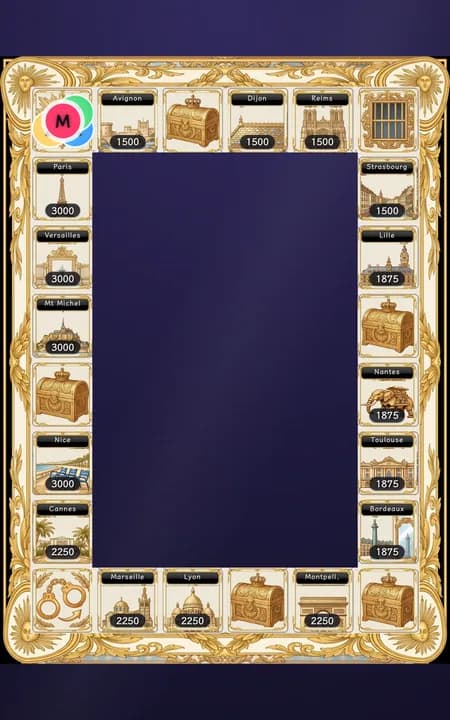
France・Versailles
French cities
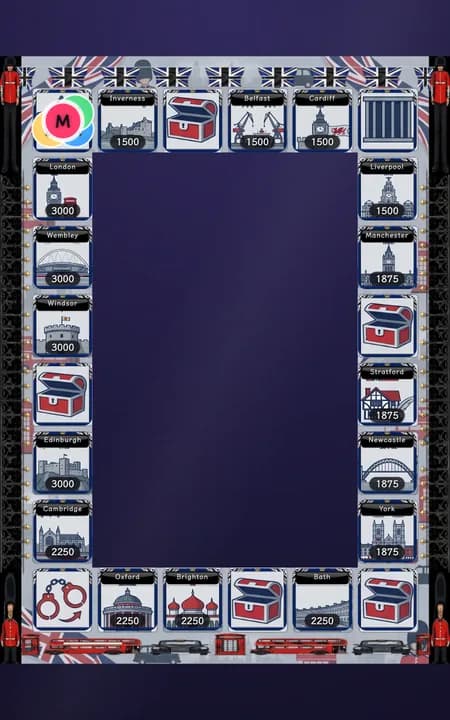
Britain・London
British cities
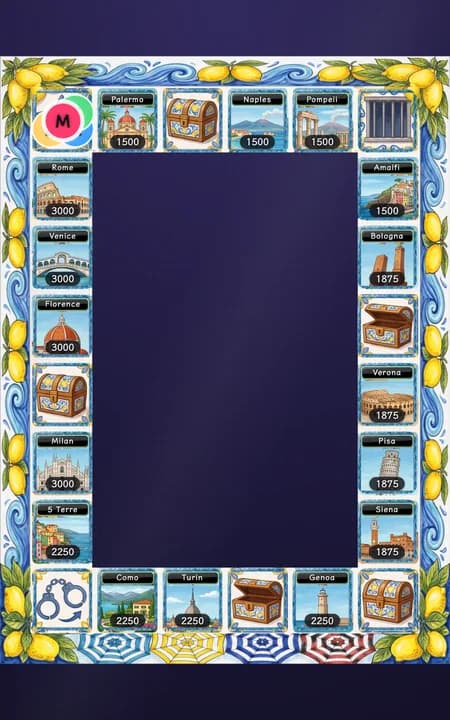
Italy・Amalfi Coast
Italian cities
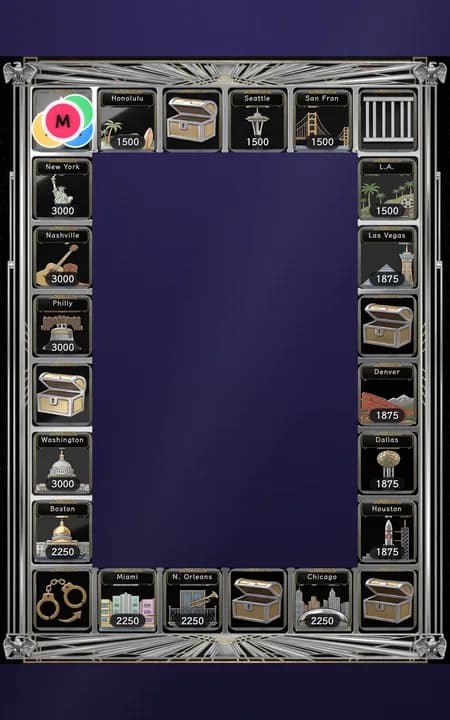
USA・Skyscraper Deco
American cities
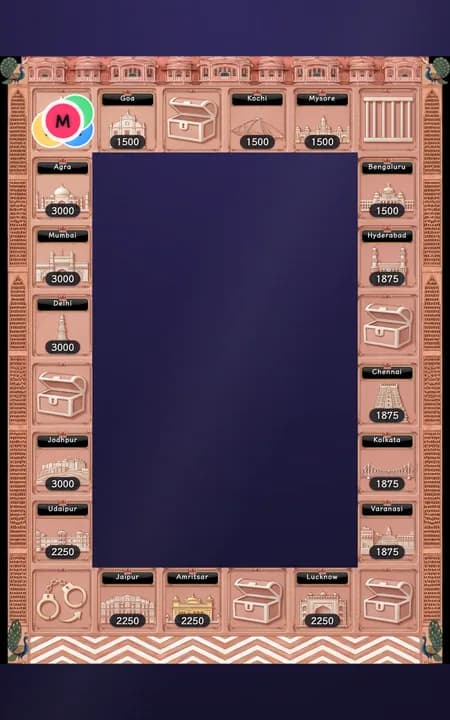
India・Rajasthan Pink City
Indian cities
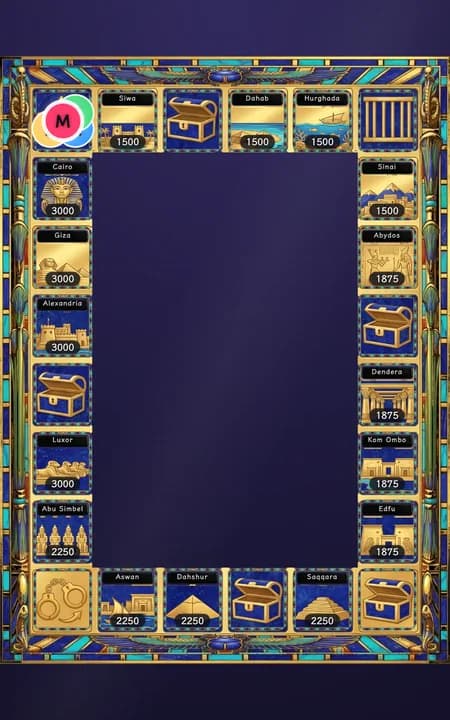
Egypt・Pharaoh Gold & Lapis
Egyptian cities
Switching mid-game doesn't touch the game
Only the artwork and names change — tile rules, prices, token positions and owned land all stay as they are, so it's safe to switch the mood while live.
Set it up before you go live
Pick 'Monopoly'
Go to the "Scoring Games" page and pick "Monopoly" in step 1.
Check the player roster
The first 2–8 people in today’s Host Roster become the players automatically. Use Manage roster to add or remove hosts and the arrows to reorder them; at least two are needed.
Pick a board skin and place names
Choose one of the 21 board styles. Place names follow the selected style automatically; there is no separate place-name picker.
Adjust the game settings
Base land price (diamonds) determines each tile's price after its zone multiplier. Funding countdown (seconds) controls purchase, upgrade and ransom windows. Acquisition countdown (seconds) is a separate duration for acquiring another host's level 1–3 property. Jail bail (diamonds) is only used for jail bail; it is independent of land prices. The ransom for landing on another host's property is set by the ransom base (ransom base × that land's level), and the settings page shows what levels 1, 2 and 3 each pay. Acquisition price multiplier: acquisition costs land price × level × this multiplier. Every field has a “?” with the formula and an example. Changing a value affects later property visits; the current funding target stays unchanged.
(Optional) Open 'Advanced'
Price, round pace and game-content settings are shown in their own groups. Advanced settings change only the piece movement and wheel animation durations.
Save to Home
Hit "Save to Home" at the bottom of the page — the config is stored and shows up on Home automatically, ready to run once you're live. "Save to Home" only pins this card to Home and does not change what viewers see; to show it to viewers, go to Home and tap this card. Monopoly is the exception: its board is kept, so switching games on Home is never blocked. Hosts you add to the list from here go into the one shared host list, not just this card.
Running it live
Back on Home, find the "Monopoly" card you saved:
Press Start, then Roll dice on the current seat. On another host's level 1–3 property, choose Pay ransom or Acquire property before funding begins. Acquisition uses its own configured countdown and costs the tile's land price × level × the acquisition multiplier (default 2); success transfers the property without lowering its level. Ransom starts by waiting for Start funding, and acquisition by waiting for Start acquisition; with Auto-start on, choosing either ransom or acquisition starts automatically after the configured delay — but auto-start never chooses between ransom and acquisition for you. Gifts before funding starts still count toward the gift leaderboard, but not that funding target. A failed ransom or acquisition opens the existing penalty flow. Another host's level 4 property bypasses both choices and sends the visitor directly to jail, where the jail bail window opens. The console settings and live controls display these rules before the visitor lands.
A Chance landing, or failed ransom/acquisition on another host's level 1–3 property, can open the board wheel. Press Start the wheel after explaining the event, or turn on Auto-start to have the wheel spin automatically after the configured delay. The Chance effect applies when its wheel stops; the penalty result stays until Done. A level 4 property never opens a penalty wheel.
Once the current tile is resolved, hit "Next player" to hand off. If a host is suddenly away, the moment their turn comes up and before the dice are rolled the panel offers "Skip this seat" — two taps to confirm and the turn passes on. That is the only point where a seat can be skipped; once the dice are rolled, the hand has to play out. If that seat passed GO along the way, it gets one free extra roll — the panel shows a "Roll again" button; press it to use the extra roll, or hit "Next player" to give it up. Tap "Pause" mid-game if you need a break — the countdown freezes with it — and "Resume" to pick back up; a long pause won't cause it to auto-close the moment you come back.
Getting out of jail
If nobody pays the bail, the jailed seat misses its next turn: every other seat rolls once, the jailed seat is skipped, every other seat rolls once more, and then it is freed and plays its following turn as normal (if the host presses "Next player" to skip a seat, that counts as its turn too). Bail is a separate number from the base land price — changing one never moves the other.
When you want to end the game, hit "End this round" — there's a confirmation step (any funding window still open fails, though its diamonds still count on the gift leaderboard). Wrapping up puts a fun stats board on the overlay: who spent the most time in jail, who got penalized the most, the priciest plot on the board, and the biggest sponsor overall, each with a name attached; every other seat gets a fallback badge like "Globetrotter" or "Smooth sailing." After wrapping up, "Reset" clears the board for a brand-new game.
Common questions
Q: Does Monopoly have a winner or a ranking? A: No. This game deliberately skips scoring a winner — wrapping up shows a fun stats board where every seat gets a badge (Most time in jail / Most penalties / Property tycoon / Fan power / Globetrotter / Smooth sailing), with no ranking involved.
Q: What happens if a funding window falls short? A: A failed purchase leaves the tile unowned; a failed upgrade leaves its level unchanged. Failed acquisition preserves the previous owner and level, and failed ransom or acquisition follows the penalty flow. Gifts still count toward the gift leaderboard and session report.
Q: Does landing on a rival's tile always trigger a penalty? A: No. On another host's level 1–3 property, choose ransom or acquisition; reaching the target avoids the penalty. Ransom is the ransom base × level; acquisition costs the tile's land price × level × the acquisition multiplier (default 2), transfers ownership and preserves the level. If either funding attempt fails, the existing penalty applies. Another host's level 4 property sends you straight to jail with a bail window, with no penalty wheel or acquisition option.
Q: Is jail bail the same number as the base land price? A: No, they're two separate settings. Even if nobody pays bail, serving one full lap (every other seat rolling once) frees the seat automatically.
Q: What can a Chance card give you? A: Whatever the host puts in the deck. It ships with three cards: a free upgrade on a property you own (less common), straight to jail, or an extra roll. In the Monopoly panel on the Scoring page you can edit each card's text and odds, delete cards, and add new ones — text-only cards (say, "sing a song") are for the host to act out live, and "move forward/back N tiles" really moves the token. If you draw the free upgrade but don't own anything left to build on, it simply has no effect.
Q: Can I change how the board looks, or the place names? Choose one of the 21 board styles. Place names follow the selected style automatically; there is no separate place-name picker.
Q: Do hosts need to keep tuning the pacing? Price, round pace and game-content settings are shown in their own groups. Advanced settings change only the piece movement and wheel animation durations.